Troubleshooting Made Easy: Common Issues and Solutions with PowerFlex Drives
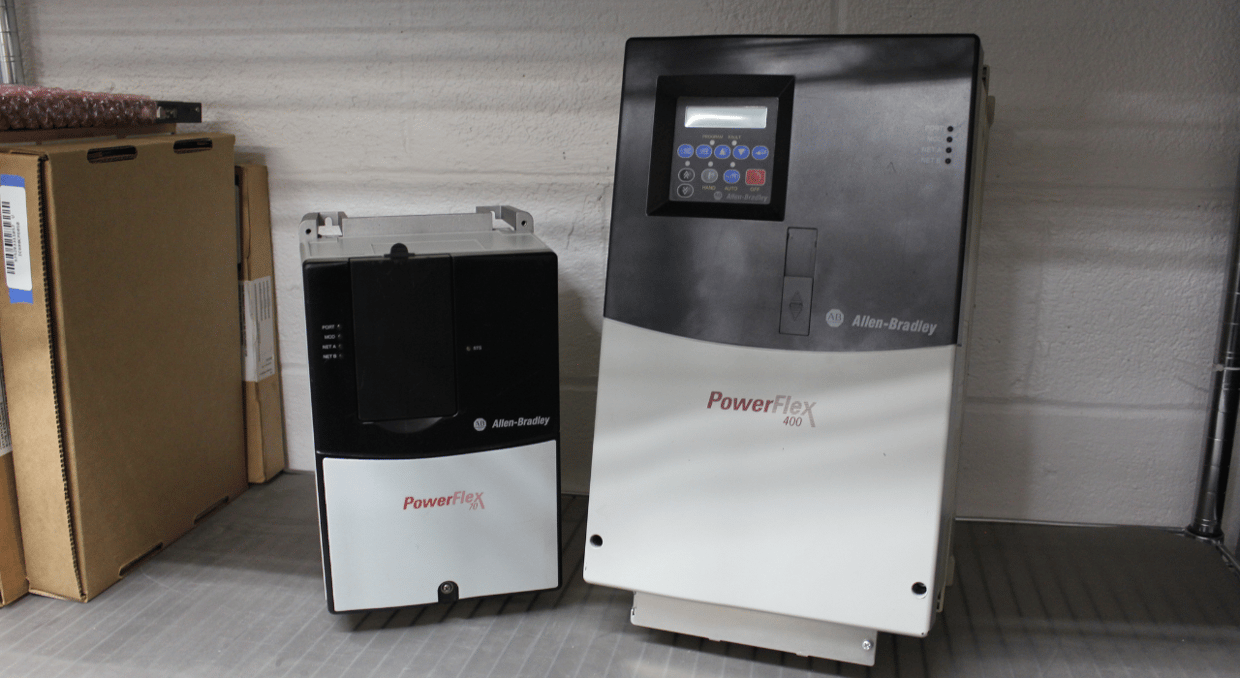
Common Issues with PowerFlex Drives: Addressing Bound Loads and Overheating
PowerFlex Drives are key players in industrial automation, offering flexible solutions for motor control across a wide range of applications. However, like all sophisticated equipment, they can present challenges that may require troubleshooting to ensure smooth operation. An inoperative drive can disrupt operations, causing significant downtime and production losses. However, the fault codes displayed by PowerFlex drives offer valuable insights into underlying issues, guiding effective corrective actions. PowerFlex drives provide crucial feedback on equipment and application performance, helping businesses maintain efficient operations.
This article aims to simplify the troubleshooting process by outlining common issues encountered with PowerFlex Drives and offering practical solutions.
Bound Load
One of the frequent challenges with PowerFlex drives is handling bound or excess load, which can lead to overheating and related faults. Common fault codes signaling an overload include:
- Drive OverLoad
- Excessive Load
- Heatsink OverTemp
- HW OverCurrent
- Load Loss
- Motor Overload
- Motor Thermistor
- OverSpeed Limit
- Shear Pin
- SW OverCurrent
- Trnsistr OvrTemp
These codes often indicate mechanical binding within the system, where even a slight increase in load speed can trigger an overcurrent fault.
Mitigating Bound Load Issues
To prevent these issues, it is crucial to verify the drive’s load requirements before operation. If any of these fault codes appear, first check for and reduce excess load. During Autotune, ensure the load is uncoupled from the motor, especially if the motor is not reaching the desired speed. Properly connecting the load to the motor is essential to avoid overheating and further faults.
Troubleshooting
Preventative maintenance is essential for avoiding bound load problems in PowerFlex drives. Key actions to take include:
- Avoiding Wet Components: Moisture can lead to corrosion and other issues within the drive system. Keeping components dry helps prevent complications.
- Clearing Clogged Pumps: Clogged pumps can increase the load on the drive, causing overheating and potential faults. Regularly clearing them reduces this risk.
- Inspecting Fans, Pulleys, and Worn Components: Routine inspections can catch issues before they escalate. Replacing worn parts and ensuring fans and pulleys are in good working order can significantly reduce the likelihood of bound load faults.
Faulty Cables
Cables are essential for PowerFlex drives, transmitting electricity from the AC drive to the motor. Unlike single wires, these cables consist of multiple bundled wires within insulated casing, designed to handle high power and withstand significant voltage. Built to meet demanding requirements, PowerFlex drive cables include key components like insulation, conductors, jacketing, and grounding/shielding for reliable operation.
Common Cable Connection Points in PowerFlex Drives
PowerFlex drives typically feature several cable connection points, each serving a specific function:
- DPI Port 1: Dedicated to the HIM (Human Interface Module) connection.
- DPI Port 2: Used for connecting remote and handheld options.
- DPI Port 3: A splitter cable that links to DPI Port 2, facilitating additional connections.
- DPI Port 5: Designed for connecting a communication adapter.
Each of these ports is integral to the overall functionality of the drive, ensuring that it can interface with various external components and systems.
Addressing Common Cable Issues
Even though PowerFlex drive cables are built for durability, they can suffer from wear and tear over time. Issues like contamination, damage, or fraying can affect performance and safety. Symptoms such as erratic operation, communication errors, or electrical faults may indicate cable problems. Regular inspection and timely replacement of worn or damaged cables are essential for maintaining drive functionality and ensuring safe operation.
Incorrect Parameters
The parameters of a PowerFlex drive are crucial for ensuring that the system operates according to the specific needs of an application. Properly setting these parameters is key to optimizing the drive’s performance and reliability.
Understanding PowerFlex Parameters
PowerFlex drives offer three primary settings for parameters:
- Bit: Used for binary settings that involve simple on/off states.
- ENUM: Allows selection from a list of predefined options.
- Numeric: Involves specific numerical values that define various operational aspects of the drive.
These settings can be organized in either a numbered list view or through basic and advanced options, depending on the complexity of the application. The ability to fine-tune these parameters gives the drive the flexibility to meet various operational requirements.
Common Issues with Parameters
Issues with drive parameters often arise due to memory leaks caused by value changes or voltage transients. These problems can lead to several fault codes appearing on the drive’s display, indicating issues that need to be addressed. Some common fault codes related to parameter issues include:
- Analog in Loss: Indicates a loss of signal, which could affect the drive’s ability to function properly.
- Params Defaulted: Occurs when parameters revert to their default settings, often requiring reprogramming.
- Replaced MCB-PB: Indicates a replacement of the Main Control Board or Power Board, which might necessitate parameter adjustments.
- TB Man Ref Cflct: Suggests a conflict with the terminal block manual reference.
- Parameter Chksum: Shows a mismatch between the checksum read from the board and the checksum calculated, indicating potential memory or data integrity issues.
- IXo VoltageRange: Indicates a voltage range issue.
- Home Not Set: Suggests that the home position for the drive has not been properly established.
Addressing Parameter Faults
In many cases, restoring the drive to its factory default settings and then reprogramming the parameters according to the application’s needs can resolve the problem. This approach helps clear any inconsistencies or errors that may have developed over time.
Using the HIM to back up the parameters is a good practice. This backup allows for quick restoration in case of faults, minimizing downtime and ensuring that the drive operates within the desired parameters.
Corrosion
Corrosion is a significant issue that can compromise the performance and longevity of PowerFlex drives. It not only affects various components of the drive but can also lead to severe damage to the circuit board, ultimately compromising the entire system. Understanding the causes and effects of corrosion is crucial for maintaining the efficiency and reliability of these drives.
Identifying Corrosion-Related Faults
Corrosion often manifests as overheating within the drive, with common fault codes indicating the presence of this issue. Some of these fault codes include:
- I1 Bus Overvolt
- I2 Bus Overvolt
- I3 Bus Overvolt
- I1 PLI OvrTemp
- I2 PLI OvrTemp
- I3 PLI OvrTemp
An overvolt fault code may suggest the need to replace the power-layer interface circuit board, as corrosion could be affecting its performance. On the other hand, an over-temperature fault indicates that the power-layer interface circuit board has exceeded its safe operating temperature. In such cases, it is essential to check that the ambient temperature is within acceptable limits and that the cooling fans are functioning correctly. Additionally, testing the temperature sensor points on the interface board can help diagnose the issue.
Preventing Corrosion in PowerFlex Drives
Preventing corrosion is key to maintaining the longevity of PowerFlex drives. Here are some steps to mitigate the risk of corrosion:
- Use a Dehumidifier: If moisture is a concern, deploying a dehumidifier in the facility can significantly reduce humidity levels. This creates a more controlled environment, minimizing the risk of corrosion.
- Ensure Proper Ventilation and Cooling: For drives that operate continuously, adequate heat generation can prevent condensation. However, if the drive runs intermittently, it’s crucial to ensure the cooling system is operating efficiently. This will help avoid the accumulation of moisture and the associated risk of corrosion.
- Consider Sealed Housing: If available, opting for a PowerFlex drive with sealed housing can provide an additional layer of protection against moisture and contaminants.
PowerFlex drives are essential in industrial automation but can face issues like bound load, incorrect parameters, faulty cables, and corrosion. Bound load, causing overheating, is flagged by fault codes like Drive Overload and Motor Overload. Preventing this involves checking load requirements and performing regular maintenance. Cables, vital for transmitting power, can wear over time, leading to communication errors. Regular inspections and timely replacements ensure safety. Incorrect parameters can trigger faults like Analog In Loss. Restoring factory settings and reprogramming often resolve these issues. Corrosion, from moisture or heat, damages components. Preventing it involves using dehumidifiers, ensuring ventilation, and considering sealed housing.
While Allen Bradley drives have a fantastic reputation for their reliability, here at DOSupply we offer a 2 year warranty on all products sold as well as our expert technical support if you do happen to run into any problems like those mentioned previously and more. If you would like to learn more about the PorweFlex drives we carry, we have a guide for PowerFlex DC drives here.
DO Supply Inc. makes no representations as to the completeness, validity, correctness, suitability, or accuracy of any information on this website and will not be liable for any delays, omissions, or errors in this information or any losses, injuries, or damages arising from its display or use. All the information on this website is provided on an "as-is" basis. It is the reader's responsibility to verify their own facts.