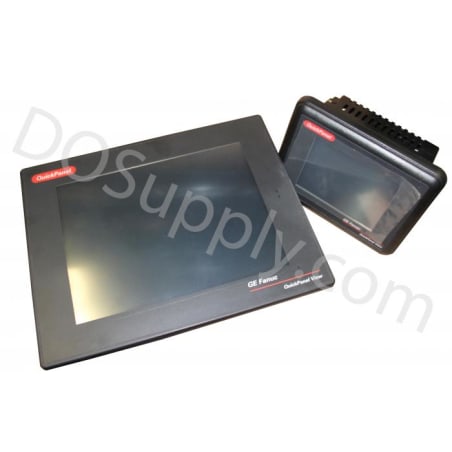
Product image is representative; revision or series may vary. Contact us to request a specific version.
ES0821
8 in. Display with Touchscreen
-
We sell industrial automation parts backed by our free 2-Year DO Supply Warranty.
-
Same-day domestic and fast international shipping with UPS, FedEx, DHL, and more.
-
AMEX, Visa, MasterCard, Discover, wire transfer, net terms, and more.
-
Repairs and exchanges are available for all automation products.
- Reseller Options
Drop shipping, blind shipping, and account shipping with no extra fees.
Technical specifications for ES0821
| Manufacturer | GE Fanuc Emerson |
|---|---|
| Product Line | Quickpanel |
| Part Number | ES0821 |
| Weight | 10.00 lbs (4.54 kg) |
| Display Size | 8 in. |
| Input Type | Touchscreen |
| Communication | RS232 and RS485 |
| Input Power | 24 VDC |
| Communication Cable | HMI-CAB-CS15 |
| Product Lifecycle Status* | Discontinued/Obsolete |
* The GE Fanuc Emerson ES0821 has been discontinued by the manufacturer, however we specialize in obsolete parts and can likely still supply surplus and/or refurbished replacement ES0821 units instead of migration.
The ES0821 display is a QuickPanel control display panel manufactured by GE Fanuc. The ES0821 display is classified under the GE Fanuc QuickPanel series of control panel displays and it is custom made to meet the user’s requirements. The GE Fanuc QuickPanel display can be used as a full-featured control unit or with a combination of HMI and controller modules for local and distributed control applications. The ES0821 display supports the Proficy View Machine Edition software and it is ideal for use in a networked environment, while it can also be used as a standalone unit. The QuickPanel display is an 8-inch touch screen unit that features the RS-232 and the RS-485 communication options. It comes with the HMI-CAB-CS15 communication cable and it has an input power of 24 Volts DC. The ES0821 display requires minimal configuration steps because it is shipped ready for use. The unit just requires connection to a power source by using the supplied Quick connection plug cable.
The ES0821 display also supports optional input devices, communication ports, and expansion adapters. To avoid the risk of electric shock, ensure that the DC power supply is disconnected from the power and that the leads are not energized before attaching it to the power plug. The ES0821 display will display the OS version upon startup, alongside other important device information. For a faster startup process, the users can choose not to run the startup programs. When switching off the unit, ensure that any programs that could be running are stopped, and wait for the running file operations to come to a complete stop. Any changes to the control settings need to be saved to avoid losing the changes.
- ES082I
- ES0B21
- ESO821
- ESOB2I