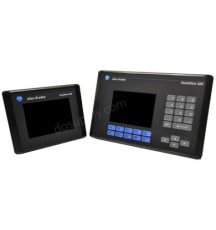
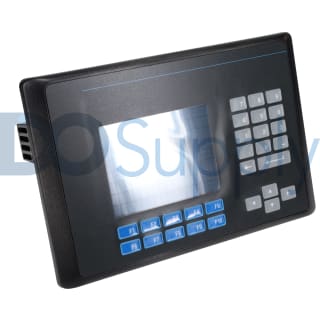
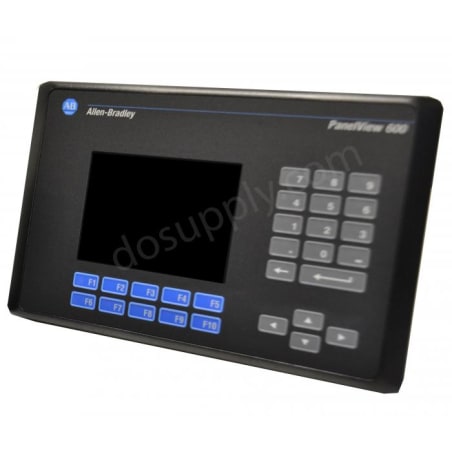
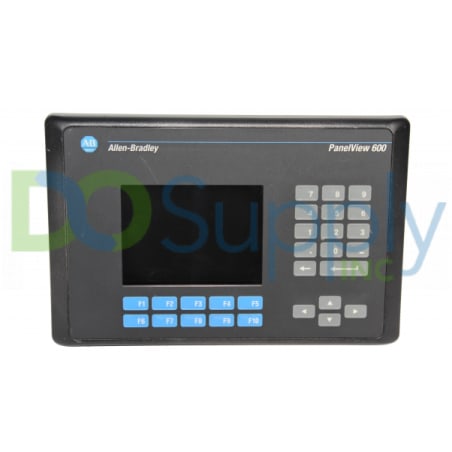
PanelView 600 Startup Failure
If your PanelView 600 fails to startup properly, always check the power supply first. Ensure the terminal is receiving the correct voltage and that the wiring and connections to the power source are valid. In addition, you should also ensure the DC power positive and negative are attached to the proper terminals.
PanelView 600 Status Indicators
The status indicators are located on the back of your PanelView 600 terminal. The COMM indicator is green and reflects communication. The FAULT indicator is red and reflects hardware faults. Upon startup, the fault indicator should be off and the comm indicator on. If the fault indicator flashes a few times at startup, this is not a concern. However, if both indicators are off you should check the power cable. See the table below to interpret the terminal's indicator status:
Status Indicators - DH+, DH-485, DF1
| Indicator |
Status |
Meaning |
| Comm |
On |
Normal Operation |
| Off |
Fault Present-
Ensure controller is in run mode. Check baud settings of controller/terminal. Check for proper controller connections.
|
| Blinking |
Failed to establish communication |
| Fault |
On |
Fault Present -
Restart terminal. If the error persists, the terminal requires servicing. Click here for information about DO Supply's repair service.
|
| Off |
Normal Operation |
| Blinking |
No applications loaded/application is corrupt. Reload the application. |
Status Indicators - Ethernet/IP, ControlNet, DeviceNet Networks
| Indicator |
Status |
Meaning |
| Comm |
On |
Normal operation |
| Off |
Hardware failure |
| Blinking |
Failed to establish communication |
| Fault |
On |
Hardware failure. |
| Off |
Normal operation |
| Blinking |
Application not loaded/application is corrupt |
Status Indicators - Remote I/O
| Indicator |
Status |
Meaning |
| Comm |
On |
Normal operation |
| Off |
Communication non-functional |
| Blinking |
Failed to establish communication, PLC may be in program mode |
| Fault |
On |
Fault Present -
Check baud rate and rack settings. Ensure proper connections from terminal to controller. Verify remote I/O is enabled.
|
| Off |
Normal Operation |
| Blinking |
Application not loaded/application is corrupt |
PanelView 600 Application Issues
Application Issues
| Issue |
Possible Cause |
Action |
| Failed Application Download (Initial Attempt) |
Disconnected Communication Cable |
Check cable type and connection |
| Improper Computer COM Port Selection |
Ensure you have the correct COM port number in PanelBuilder32 or WinPFT software |
| Communication Settings/Rate Incorrect |
Ensure computer and terminal share the same communication settings |
| Failed Application Download (Subsequent Attempts) |
Communication Settings/Rate Incorrect |
Ensure computer and terminal share the same communication settings. Adjust settings in the Communication Setup screen |
| Application File Name Appears as ******* |
Invalid Application |
Redownload application |
| Unusable Application Due to Error |
Download new application |
| Failed Application Transfer from Memory Card |
Memory card incorrectly installed |
Reinstall, verify its installed correctly |
| Application to Large for Terminal Memory |
Reduce application size |
| Incorrect Data Checksum |
Ensure memory card is properly seated. It is possible the application may be corrupt |
| File Format Invalid |
Verify file format (.PVA) |
| Failed Application Transfer to Memory Card |
Memory card incorrectly installed |
Reinstall, verify its installed correctly |
| Memory Card May be Wire Protected |
Change memory card protection switch |
| Another File on the Memory Card |
Erase/reformat card |
| Application to Large |
Reduce application size, erase/reformat card |
| Memory Card Format Invalid |
Replace/reformat card |
| Incorrect Data Checksum |
Ensure card is installed correctly |
| Application Does Not Exist |
Ensure application exists |
Repair Your PanelView 600
Here at DO Supply, we offer repair services for your Allen-Bradley products, such as the Allen-Bradley PanelView 600. For more information or to request a quote, click here.