
Allen Bradley
2711-T9A9X
Operating with a 24 VDC power supply, the 2711-T9A9X is capable of maintaining performance in temperatures ranging from 0 to 50 °C. Memory capacity is 1008 KB, enabling efficient operations. This oper
Available
Call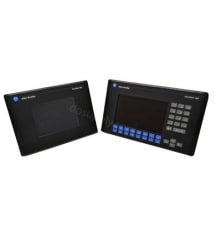
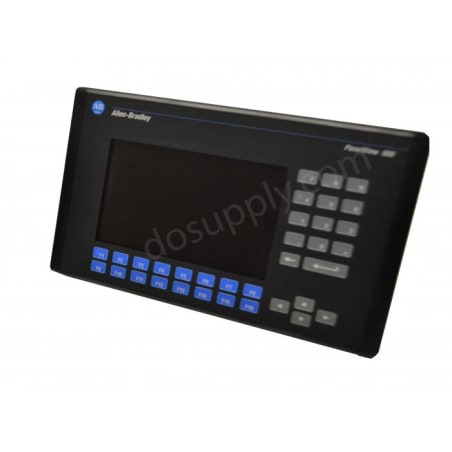
The Allen Bradley PanelView Standard 900 Graphic Terminals are engineered to suit your needs with excellent graphics capabilities that allow the user interface with their machine. The Terminal features a 9 in. flat-panel display in monochrome, greyscale, or color. These terminals support operator input, through touchscreen, keypad or both touchscreen and keypad. In addition, this HMI comes with a variety of communication port options, adapting to the specific needs of the user.
Browse available units in our catalog of Panelview 900.
Operating with a 24 VDC power supply, the 2711-T9A9X is capable of maintaining performance in temperatures ranging from 0 to 50 °C. Memory capacity is 1008 KB, enabling efficient operations. This oper

This operator terminal functions on an input voltage range of 100 to 240 VAC and supports communication through RS-232, including DH-485 and printer connections. It is rated for operating temperatures

The operator terminal operates on a 24 VDC input voltage and consumes approximately 50 watts during operation. It interfaces with various controllers, including PLC-5, SLC 500, and ControlLogix. This

The operator terminal 2711-T9C16L1X features a robust color TFT LCD display measuring 9 inches diagonally, with a resolution of 640 x 480. It operates on a nominal input voltage of 24 VDC and can draw

This operator terminal operates on input voltages from 100 to 240 VAC and can handle frequencies of 50/60 Hz. It is equipped with 1008 KB of memory, enhancing its capability to run applications effect

The 2711-T9A16X operator terminal from the Panelview 900 series is built for effective human-machine interaction. This terminal offers a 9-inch monochrome display with a resolution of 640 x 480. It ac

This operator terminal operates using the DH-485 communication protocol and supports controllers such as MicroLogix and SLC 500. It operates on 24 VDC power and is designed for panel mounting. With a

This operator terminal supports a wide range of communication methods, including DH-485 and RS-232 for printers. It can be panel-mounted and is capable of point-to-point and multi-processor connection

The 2711-K9C20X operator terminal accommodates an input voltage of 100-240 VAC and operates on frequencies of 50 or 60 Hz. The unit has a memory capacity of 1008 KB and a shock rating of 15 g. Its sto
This operator terminal operates with an input voltage range of 100 to 240 VAC and supports a display size of 9 inches. The unit has 1008 KB of memory available for applications. Communication is facil
The Panelview 900 series is a series of control interface terminals featuring the monochrome and color terminals. The Panelview 900 terminals feature the NEMA Type 12/13,4X enclosures, and they are ideal for indoor use only. The Panelview 900 units are designed with status indicators that are attached to the enclosure. These allow for the monitoring of the Panelview 900 communication status, and they are resourceful in showing the fault statuses. The communication LED turns green to show active communication, while the fault LED turns red to shows that there is a fault, and that troubleshooting is required.
The Panelview 900 terminals feature the keypad and touchscreen input types. The Panelview 900 terminals’ dimensions are 249 millimeters in height, 406 millimeters in width, and 112 millimeters in depth. The PV900M units under the Panelview 900 series feature AC gas plasma screen with pixel resolutions of 640 x 400. The PV900M units feature 384 touch cells with touch cell sizes of 26 x 25 pixels. This series features active-matrix thin-film resistors with cold cathode fluorescent backlights. The Panelview 900 terminals feature an operating temperature range of 0 to 55 degrees Celsius while the storage temperature range is -25 to 70 degrees Celsius. The relative humidity range is 5 to 95%, non-condensing. When installing the Panelview 900 terminals, ensure that the electrical power has been disconnected from the panels. In addition, make sure that the area around the panel is cut out clearly and ensure that metal debris does not enter any of the components installed on the panel. Note that if the installation guidelines are not adhered to, this might result in personal injury or component damage.
If your PanelView 900 fails to startup properly, always check the power supply first. Ensure the terminal is receiving the correct voltage and that the wiring and connections to the power source are valid. In addition, you should also ensure the DC power positive and negative are attached to the proper terminals.
The status indicators are located on the back of your PanelView 900 terminal. The COMM indicator is green and reflects communication. The FAULT indicator is red and reflects hardware faults. Upon startup, the fault indicator should be off and the comm indicator on. If the fault indicator flashes a few times at startup, this is not a concern. However, if both indicators are off you should check the power cable. See the table below to interpret the terminal's indicator status:
| Indicator | Status | Meaning |
| Comm | On | Normal Operation |
| Off |
Fault Present- Ensure controller is in run mode. Check baud settings of controller/terminal. Check for proper controller connections. |
|
| Blinking | Failed to establish communication | |
| Fault | On |
Fault Present - Restart terminal. If the error persists, the terminal requires servicing. Click here for information about DO Supply's repair service. |
| Off | Normal Operation | |
| Blinking | No applications loaded/application is corrupt. Reload the application. |
| Indicator | Status | Meaning |
| Comm | On | Normal operation |
| Off | Hardware failure | |
| Blinking | Failed to establish communication | |
| Fault | On | Hardware failure. |
| Off | Normal operation | |
| Blinking | Application not loaded/application is corrupt |
| Indicator | Status | Meaning |
| Comm | On | Normal operation |
| Off | Communication non-functional | |
| Blinking | Failed to establish communication, PLC may be in program mode | |
| Fault | On |
Fault Present - Check baud rate and rack settings. Ensure proper connections from terminal to controller. Verify remote I/O is enabled. |
| Off | Normal Operation | |
| Blinking | Application not loaded/application is corrupt |
| Issue | Possible Cause | Action |
| Failed Application Download (Initial Attempt) | Disconnected Communication Cable | Check cable type and connection |
| Improper Computer COM Port Selection | Ensure you have the correct COM port number in PanelBuilder32 or WinPFT software | |
| Communication Settings/Rate Incorrect | Ensure computer and terminal share the same communication settings | |
| Failed Application Download (Subsequent Attempts) | Communication Settings/Rate Incorrect | Ensure computer and terminal share the same communication settings. Adjust settings in the Communication Setup screen |
| Application File Name Appears as ******* | Invalid Application | Redownload application |
| Unusable Application Due to Error | Download new application | |
| Failed Application Transfer from Memory Card | Memory card incorrectly installed | Reinstall, verify its installed correctly |
| Application to Large for Terminal Memory | Reduce application size | |
| Incorrect Data Checksum | Ensure memory card is properly seated. It is possible the application may be corrupt | |
| File Format Invalid | Verify file format (.PVA) | |
| Failed Application Transfer to Memory Card | Memory card incorrectly installed | Reinstall, verify its installed correctly |
| Memory Card May be Wire Protected | Change memory card protection switch | |
| Another File on the Memory Card | Erase/reformat card | |
| Application to Large | Reduce application size, erase/reformat card | |
| Memory Card Format Invalid | Replace/reformat card | |
| Incorrect Data Checksum | Ensure card is installed correctly | |
| Application Does Not Exist | Ensure application exists |
Here at DO Supply, we offer repair services for your Allen-Bradley products, such as the Allen-Bradley PanelView 900. For more information or to request a quote, click here.