Getting Started with PowerFlex 520: A Comprehensive Installation Guide

The Allen-Bradley PowerFlex 520 family of compact-class, low-voltage adjustable frequency AC Drives combines flexible control and powerful performance in an innovative, modular design that is exceptionally versatile. It offers an extensive range of power ratings and capabilities for machine-level control and simple system integration.
Designed for application versatility and ease of use, the PowerFlex 520-Series provides a variety of standard features, motor control algorithms, communication options, built-in safety features, and energy saving functions in a compact package, delivering a simple and cost-effective motion control solution for a wide array of industrial applications.
PowerFlex 520-Series AC Drives
Available PowerFlex 520-Series Variable Frequency Drives (VFDs) or AC drives include:
PowerFlex 527 Drives: These AC drives provide a low-cost motion control solution for automated systems that require simple speed control for AC induction motors, such as out-feed and in-feed conveyors, fans, and pumps. They come in an extensive range of power ratings: 0.5 to 30 Hp (0.4 to 22 kW) and input voltage classes of 100 to 600V AC. They also have an inbuilt EtherNet/IP dual port that supports Device Level Ring protocol and multiple EtherNet/IPnetwork topologies, including star, ring, and linear. In addition, they also include a built-in PLe Category 3 / SIL 3 certified Safe Torque-Off (STO) feature, which is either hardwired or deployed as an integrated safety function over EtherNet/IP.
PowerFlex 525 Drives: These AC drives provide exceptional performance and application versatility with a variety of motor control options, DeviceNet and Profibus DP communication adapters, built-in safety features, USB programming, and integral EtherNet/IP communications. They also feature an inventive, modular design with removable control and power modules that support simultaneous drive configuration and installation. They are supplied in power ratings of 0.5 to 30 Hp (0.4 to 22 kW) and input voltage classes of 100 to 600V AC. They can operate reliably at a high ambient temperature of 158 °F (70 °C). Typical applications include mixers, fans, pumps, and conveyors.
PowerFlex 523 Drives: These VFDs focus on reducing configuration and installation time with an inventive, modular design. They offer a compact footprint, USB programming, diverse motor control options, application-specific drive configuration, versatile mounting options with Zero Stacking, and a high ambient operating temperature of 158 °F (70 °C). They are supplied in power ratings of 0.25 to 30 Hp (0.2 to 22 kW) and input voltage classes of 100 to 600V AC. They are ideally intended to provide low-cost motor control for simple automation applications and standalone machines.
PowerFlex 520-Series Installation Guidelines
Outlined below are guidelines on wiring and mounting PowerFlex 520-Series AC drives to ensure proper installation.
Mounting Considerations
PowerFlex 520-Series VFDs are available with flexible mounting options, including DIN rail mounting, panel mounting, screw-type mounting, etc. The type(s) of mounting option(s) supported by a particular drive is dependent on the drive’s frame size.
Comparable PowerFlex 520-Series drive sizes are primarily grouped into Drive Frames A to E to simplify dimensioning, spare parts ordering, and so on. Drive Frames A, B, and C support either DIN rail or screw-type mounting. While Drive Frames D and E support only screw-type mounting.
Note: The PowerFlex 520-Series AC drive must be mounted vertically on a smooth, flat, and level surface. It should be shielded from direct sunlight and moisture and kept away from corrosive substances. Additionally, the drive’s cooling fan should be protected from metallic particles and dust.
The following factors should be considered when mounting a PowerFlex 520-Series VFD:
Minimum Mounting Clearances: Frame E drives that support Zero Stacking and come with a fan kit for the control module require a mounting clearance of 0.5 inches (12 mm). In contrast, Frame E drives that include only a fan kit for the control module need a mounting clearance of 3.7 inches (95 mm). Zero Stacking is a feature of certain Allen-Bradley drives that enables them to be mounted side by side without any space between them.
Ambient Operating Temperatures: The required ambient operating temperature depends on the type of mounting method used and enclosure rating. Mounting methods include vertical mounting, horizontal mounting with a fan kit for the control module, vertical mounting with Zero Stacking, etc.
Current Derating: PowerFlex 520-Series drives can be mounted at a maximal altitude of 3300 feet (1000 meters) without current or temperature derating. If installed above 3300 ft (1000m):
- Derate the maximum ambient operating temperature by 9 °F (5 °C) for every additional 3300 ft, subject to recommended altitude limits.
- Derate the drive’s output current by 10% for every extra 3300 ft (1000 m) up to 9900 ft (3000 m), subject to recommended altitude limits.
Debris Protection: Take the necessary precautions to prevent dust, debris, or metallic particles from entering the drive’s enclosure vents during installation.
Storage: PowerFlex 520-Series VFDs are to be stored within an ambient temperature of -40 to +185 °F (-40 to +85 °C) and relative humidity from 0 to 95%, non-condensing.Also, great care should be taken to avoid exposing the drive to a corrosive atmosphere.
AC Supply Considerations
Ungrounded Power Distribution Systems: PowerFlex 520-Series VFDs incorporate ground-referenced Metal Oxide Varistors (MOVs). If the AC drive is being installed on a resistive or ungrounded power distribution system, the MOVs should be removed to prevent drive damage. Note that removing the MOVs in drives that include an integral AC line filter also disconnects the filter’s capacitors from the earth’s ground.
Input Power Conditioning: PowerFlex 520-Series drives are designed to be connected directly to input power within the specified voltage ratings. The existence of input power conditions such as low line impedance, frequent line voltage interruptions, ungrounded power distribution systems, the presence of power factor rectification capacitors on supply lines, and intermittent power line noise sparks will necessitate the installation of line reactors, isolation transformers, or removal of MOV jumpers to ground.
General Grounding Requisites
The Safety Ground (PE) terminal of a PowerFlex 520-Series AC drive should always be connected to the system ground. The ground impedance value ought to comply with the specifications of local and national industrial safety standards and/or applicable electrical codes. Also, the integrity of every ground connection, including network ground, motor ground, motor cable shield termination, and RFI filter grounding, should be checked regularly.
Circuit Breakers and Fuses
PowerFlex 520-Series VFDs are not available with short-circuit protection for branch circuits. For this reason, each drive has to be installed with an input circuit breaker or input fuses, either one. Additional installation requirements for the short-circuit protection devices are determined by the local and national industrial safety standards and/or relevant electrical codes.
Input Circuit Breakers: Instantaneous trip, inverse time, and 140MT/140M self-protective circuit breakers can be used with PowerFlex 520-Series VFDs to provide branch short-circuit protection. Be sure to check if the selected circuit breaker is acceptable for IEC or UL installations.
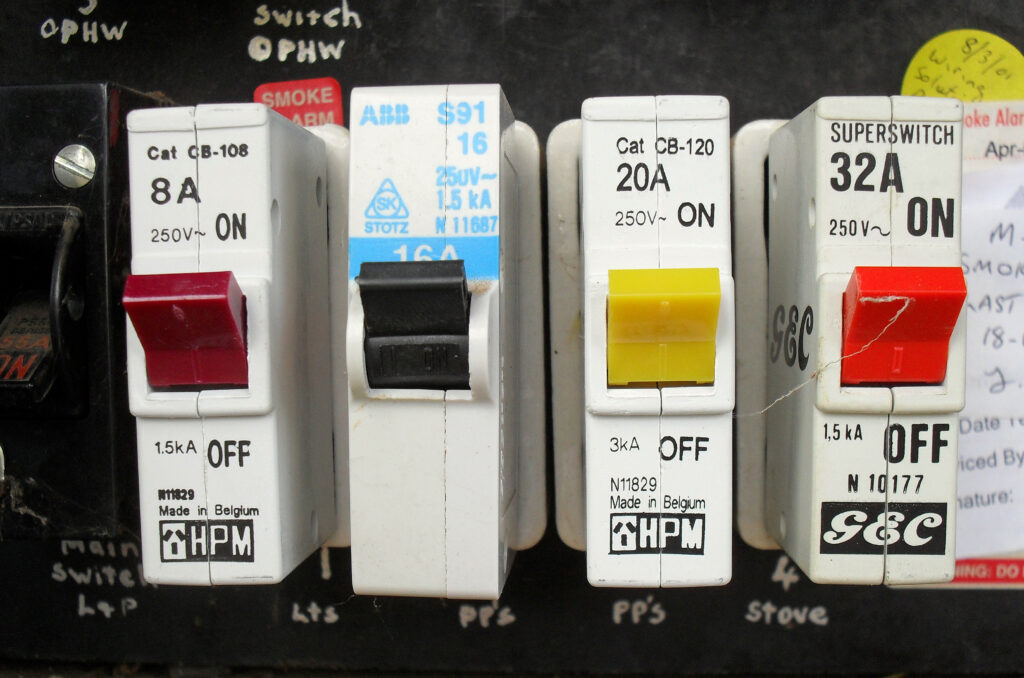
Input Fuses: Check the fuse types recommended for branch short-circuit protection from the provided PowerFlex 520-Series user manual. If the current ratings of the specified fuses do not match your application requirements, select the next higher fuse rating. IEC-compliant and UL Listed (UL Class J, CC, or T) fuses should be used.
Power and Control Modules
PowerFlex 520-Series AC drives include a detachable power module and control module. Assuming your drive is newly purchased and yet to be installed, you may want to separate the two modules and reassemble them back together or access the power and control terminals. Here are a few guidelines to consider when doing so:
Separating the Control and Power Module: This action should only be performed when the AC drive is not powered. For Drive Frames B to E, first remove the frame cover. Next, unlock the control unit from the power unit by pressing down and sliding out the control module’s top cover. After that, hold the top and sides of the control unit securely, then pull it out to disconnect it from the power unit.
Reconnecting the Control and Power Module: Align the connectors on each of the two modules, then firmly push the control module onto the power unit.
Accessing the Control Terminals: To access the EtherNet/IP port, RS-485 serial (DSI) communication port, and control terminals of a PowerFlex 520-Series drive, the front cover of its control module must first be removed asinstructed by the drive manufacturer.
Accessing the Power Terminals: To access the power terminals of Frame B to E PowerFlex 520-Series drives, the power module terminal guard should first be removed as directed by the drive manufacturer. To access the power terminals of Frame A drives, you’ll need to separate the control unit from the power unit.
Power Wiring
Installation of PowerFlex 520-Series AC drives should always comply with local and national standards and electrical codes (e.g., NESC, BSI, VDE, NEC, etc.) regarding branch circuit protection, wire types, disconnect devices, and conductor sizes. Not doing so can result in equipment damage or personalinjury.
In addition, to avoid the risk of shock hazards due to induced voltages, any unutilized wires in the drive’s electrical conduit should be grounded at both terminals. Also, to avoid possible shock hazards caused by interconnected power leads, all the drives sharing a power conduit with the PowerFlex 520-Series drive being installed should be disabled.
Motor Cabling Considerations: Unshielded motor cables, such as THWN, THHN, or equivalent are acceptable for 100 to 600V AC drive installations in dry environments, provided they can be separated from hyper-sensitive circuits.
On the other hand, armored/shielded motor cables, such as RHW-2/XHHW2, RHW-2/RHH Anixter OLF-7xxxxx, or equivalent, are acceptable for 100 to 600V AC drive installations that include sensitive devices like capacitive proximity sensors/switches, weigh scales, and equipment/machines that are highly likely to be affected by transient electrical noise in the power distribution system.
Reflected Wave Protection: Install thePowerFlex 520-Series VFD as close to the compatible motor as possible. As a general rule, the distance between an AC drive and the connected motor should not exceed the recommended maximum motor cable length. Drive installations with lengthy motor cables do often require theinclusion of external protective devices to limit the reflected wave phenomenon –voltage reflections at the connected motor.
Note: The reflected wave phenomenon is not an issue of concern for PowerFlex 520-Series drives rated 100 to 240V AC.
Output Disconnect: Most PowerFlex 520-Series VFDs are designed to be operated by input control signals that also start & stop the connected motor. As such, it is not advisable to use a drive that periodically disconnects and then reapplies power to the connected motor for starting and stopping operations.
If disconnecting the drive’s output power to the connected motor is unavoidable, use a configurable auxiliary contact to disable the AC drive (Coast-to-Stop or Aux. Fault) simultaneously.
Power Terminal Block: The terminal screws of this block can become loose during product shipment. Therefore, before applying input power to a recently installed PowerFlex 520-Series drive, verify that each and every terminal screw is tightened to the specified torque value. Also, remember to check the minimum and maximum wire size specifications for the terminal block.
I/O Wiring
Important points to keep in mind about PowerFlex 520-Series I/O wiring:
- Copper wires should always be used
- If possible, use wires featuring an insulation rating of 600V AC or greater
- Always separate signal and control wires from power wires by not less than 1 ft (0.3 m)
- I/O terminals that are labeled “Common” should not be referenced to the PE –Safety Ground– terminal, as they are primarily designed to minimize common mode interference significantly.
- Powering the 4 to 20 mA analog drive input using a voltage source can bring about damage to the drive components. As such, always verify proper I/O configuration before you apply input signals.
PowerFlex 523 I/O Wiring
- Five Digital Inputs: four of the five inputs are programmable
- One Unipolar Analog Input (Current or Voltage): It is separately isolated from other drive I/O points.
- One Form C, Relay Output
- One 10-bit Analog Output: It can be selected using a jumper for either 0 to 20 mA current or 0 to 10V voltage output.
PowerFlex 525 I/O Wiring
- Seven Digital Inputs: six of the seven inputs are programmable
- Two Analog Inputs: One Bipolar and One Unipolar, the two are individually isolated from other drive I/O points.
- Two Relay Outputs (one Form B and one Form A)
- Two Opto Outputs
- One 10-bit Analog Output: It can be selected using a jumper for either 0 to 20 mA current or 0 to 10V voltage output.
PowerFlex 527 I/O Wiring
- Four (4) Digital Inputs
- Two (2) Analog Inputs: One Voltage and One Current; the two are individually isolated from other drive I/O points
- One 10-bit Analog Output: It can be selected using a jumper for either 0 to 20 mA current or 0 to 10V voltage output.
- Two (2) Opto Outputs
- Two Relay Outputs (one Form B and one Form A)
- Control Wiring
Control and Signal Wire Types
- Control and signal wires with an insulation rating of 167 °F (75 °C) should be used in 140 °F (60 °C) ambient temperature
- Control and signal wires with an insulation rating of 194 °F (90 °C) should be used in 158 °F (70 °C) ambient temperature
Note: Refer to the provided PowerFlex 520-Series user manual to identify the signal and control wire types recommended for analog and digital I/O wiring.
Maximum Control Wire Recommendations
The control wiring length should not exceed 100ft (30 m). The length of the control signal cable is highly dependent on installation practices and the intended electrical environment. To improve the noise immunity of your PowerFlex 520-Series drive system, the “Common” terminal on the I/O terminal block should be connected to the protective earth/ground terminal.
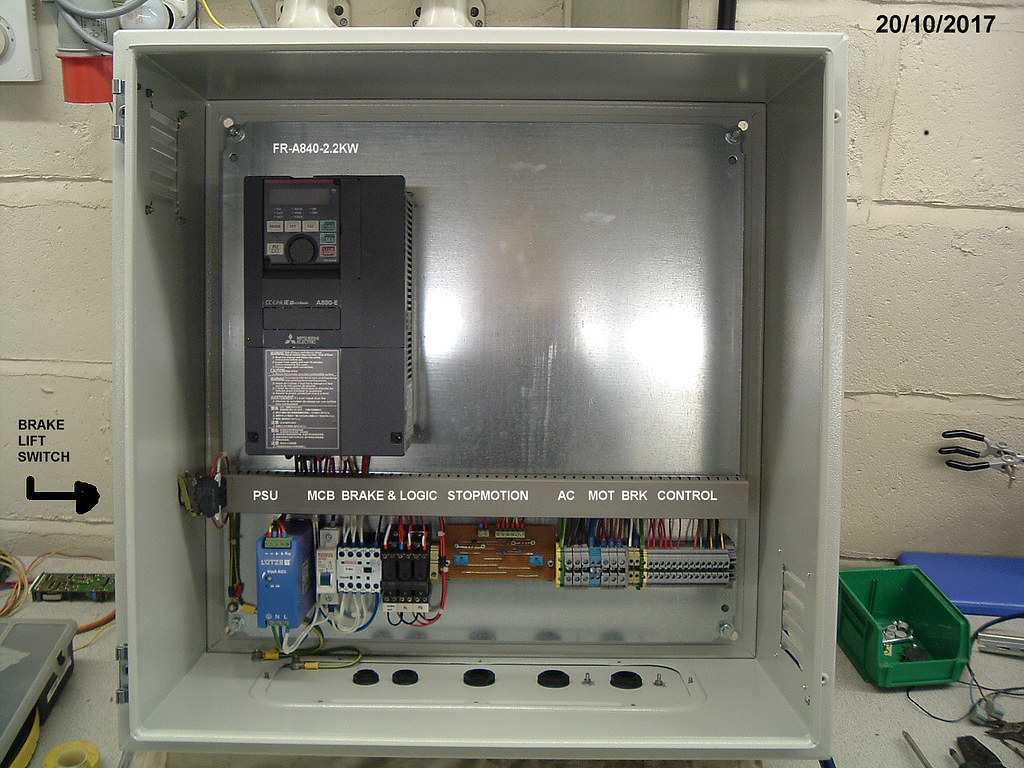
Control I/O Terminal Block
Key points to remember when installing the terminal block:
- In PowerFlex 525 and PowerFlex 523 drives, Terminal 01 on the block provides a stop input. The stopping method is specified by the drive setting.
- PowerFlex 525 and PowerFlex 523 VFDs are shipped with an installed jumper between I/O Terminals 11 and 01. The jumper should be removed when using Terminal 01 as enable or stop input.
- Due to its control I/O circuitry difference from that of PowerFlex 525 and PowerFlex 523 AC drives, connecting Terminal 11 and Terminal 01 on the PowerFlex 527 AC drive brings about an internal short that can damage some of the drive’s internal components.
- For 3-wire control, apply a temporary input on Terminal 02 so as to command a drive startup. To change the direction of the drive, apply a maintained input on Terminal 03.
- I/O Terminal 15 (Analog output) is only available on Series B, PowerFlex 523 drives, and it requires firmware version 3.001 or later to configure the t090, t089, and t088 analog output parameters.
- Connect just one analog frequency generator to the 4 to 20mA input at a time. As connecting multiple frequency sources at the same time will result in a vague frequency reference.
- If you’re using an Opto output along with an inductive load (e.g., a relay), you should install a recovery diode in parallel to the inductive load. This will protect the Opto output from getting damaged.
DO Supply Inc. makes no representations as to the completeness, validity, correctness, suitability, or accuracy of any information on this website and will not be liable for any delays, omissions, or errors in this information or any losses, injuries, or damages arising from its display or use. All the information on this website is provided on an "as-is" basis. It is the reader's responsibility to verify their own facts.