Setting Up the SMC Dialog Plus: Best Practices for Optimal Performance

Allen-Bradley provides various motor control solutions. One of these solutions is the SMC Dialog Plus, which offers soft starting, stopping, and motor protection.
This article provides a step-up guide based on the best practices for optimal performance of SMC Dialog Plus soft motor controllers during installation, programming, calibration, and maintenance.
Installation and Wiring
Enclosure and Mounting:
Featuring an open-style design, the SMC Dialog Plus controller must be installed in an appropriate enclosure. The internal temperature of the enclosure should be between 0°C and 50°C. In case of overheating, operation might not be reliable. The controller should be positioned such that it allows vertical flow of air through the power structure. There should be a minimum free space of six inches (15 cm) around all sides for proper ventilation.
Power Wiring:
Before the power is connected, the product nameplate should be referred to for information related to lug termination, including lug wire capacity and tightening torque requirements. These specifications ensure a secure connection and help avoid any potential electrical hazards.
Control Wiring:
The input voltage for the SMC Dialog Plus controller is either 100-240V AC (+10/-15%), 50/60 Hz, or 24V AC/DC. Before the control power is applied, the input voltage should be verified from the nameplate. Where the controller has modest power requirements of 40 VA, the heatsink fans (especially in the higher-rated controllers) require additional VA capacity.
For controllers rated 97-1000 A, the heatsink fan power requirements vary, with the highest rated controllers needing up to 320 VA. The control terminals should be properly connected as per the designated terminal numbers. Miswiring could lead to malfunction or damage.
Programming the SMC Dialog Plus Controller
Programming is where the SMC Dialog Plus is set up for a specific application. There is a built-in keyboard and LCD display to program the controller. Optionally, Bulletin 1201 human interface module may also be added.
Keypad Navigation:
The keypad features keys for navigating the menu structure and modifying parameters:
- Escape: Moves up one level in the menu.
- Select: Activates the top or bottom line of the display for editing.
- Up/Down Arrows: Scroll through modes, groups, and parameters.
- Enter: Selects a mode or parameter, saving it to memory.
Factory Default Settings:
The controller is pre-configured with default settings designed for general use, but these may need adjustment based on your application:
- Starting Mode: Soft Start
- Ramp Time: 10 seconds
- Initial Torque: 70% of locked rotor torque
- Kickstart: Off
- Energy Saver: Off
- Stall: Off
- Phase Rebalance: Off
- Auxiliary Contacts: Normal
- Service Factor: 1.15
- Overload Class: Off
- Line Voltage: 480 volts
- Motor FLC: 1.0 amps
- Motor HP Rating: 0.0 HP
- Motor Code Letter: G
After the adjustments are made, the programmed values should be saved to the controllers memory by accessing the Parameter Mgmt option and selecting Store In EE. This makes sure that your configurations are retained even after power cycling.
Calibration for Accurate Current Measurement
The SMC Dialog Plus controller must be calibrated to the connected motor for precise current measurement. Calibration involves the following steps:
- Preparation: The motor is properly connected to the load and draws full load current to replicate the actual operating conditions during calibration.
- Initial Setup: Before starting, all power and control wiring connections are double-checked. After that, a start command is applied to make sure the motor reaches full speed.
- Measurement and Calibration: The motor currents are measured with a clamp-on ammeter. The phase with the highest drawn current is selected. The controller is then calibrated by entering the measured current value into the controller’s memory. This makes sure that the controller accurately measures current for overload protection and other functions related to motor control.
- Saving Calibration Settings: After calibration, The settings are saved by selecting the Store In EE option in the Calibrate group. This is to ensure that your calibration persists through power cycles.
Cautions and Warnings
The SMC Dialog Plus operation involves exposure to hazardous voltages. Hence, it becomes crucial to follow strict safety precautions.
General Precautions:
- Shock Hazard: Even when the controller is off, there may still be hazardous voltage in the motor circuit. The main power should always be disconnected before working on the controller, motor, or any other associated device.
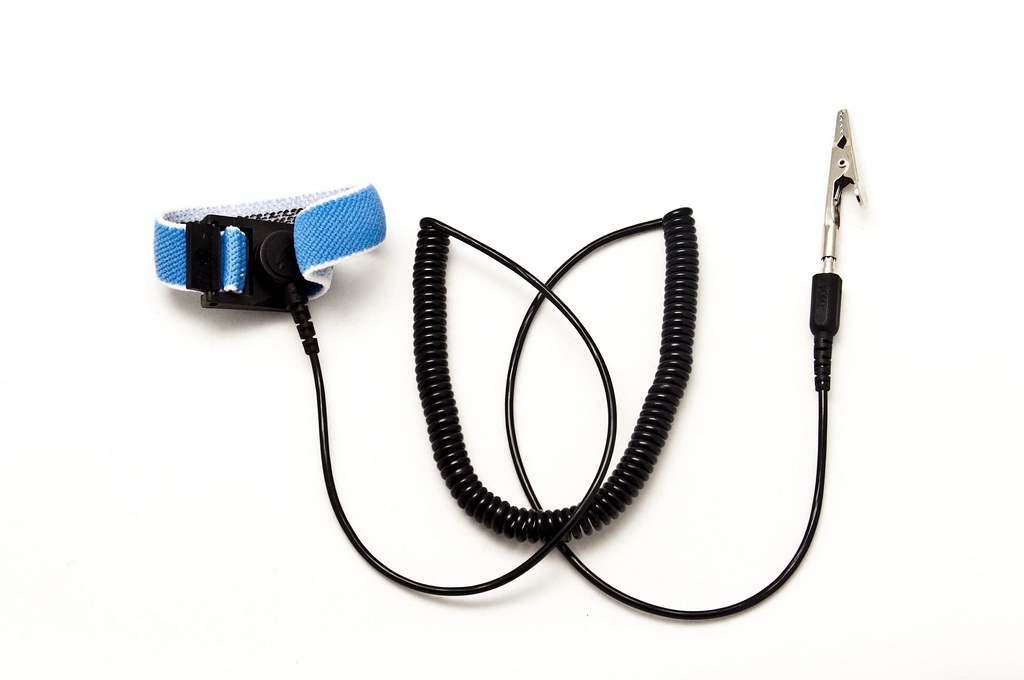
- ESD Sensitivity: The controller contains electrostatic discharge (ESD) sensitive components. Static control precautions must be followed to prevent component damage during installation, testing, or repair.
Overload Protection:
- Manual Configuration: Overload Protection is disabled in default settings. An appropriate overload trip class and motor full load current must be programmed for proper protection.
- Thermal Modelling: During a slow speed or braking operation, the controller compensates for the additional heating of the motor by incrementing motor thermal usage. This is an important feature that prevents damage under non sinusoidal current.
Communication Limitations:
- SCANport: Only one peripheral device can be connected to the SCANport, with a maximum output current of 100 mA. Exceeding this limit can result in communication issues or device failure.
Human Interface Modules:
- Control Logic: If using a Bulletin 1201 human interface module for motor control, the control logic should be appropriately enabled. For Series A, this involves setting the Logic Mask parameter to 4. For Series B, you must enable the Control Logic mode.
Best Practices for Optimal Performance
Environmental Considerations:
- It should be made sure that the installation environment complies with the recommended temperature range and that the controller is properly ventilated to avoid overheating.
- The controller should not be installed in an environment with excessive dust or moisture. This might cause malfunction or lead to a reduced product life.
Routine Maintenance:
- Regular inspection of the controller and the associated wiring should be performed for signs of wear and tear.
- The power and control wiring should be checked for integrity and maintained to prevent issues of loose connections.
Using Protective Modules:
- Protective modules should be installed on the line side of the SMC Dialog Plus controller to safeguard against voltage surges. It is important to note that these modules should never be installed on the load side, especially in a pump operation or braking control, as this can lead to SCR damage.
Electromagnetic Compatibility (EMC):
- The SMC Dialog Plus is designed for Class A equipment. In domestic environments, additional EMC mitigation methods may be necessary to prevent radio interference.
Extended Use and Emergency Stops:
- Accu-Stop and Slow Speed with Braking and SMB Smart Motor Braking Option should not be used as an emergency stop. Applicable standards for emergency stop requirements should be referred to.
Conclusion
The SMC Dialog Plus controller should be set up with careful attention to detail, installation and wiring to programming and calibration. The cautions and warnings are for both personnel safety and equipment protection. With these practices, optimal performance can be achieved from the SMC Dialog Plus controller, which has an extended lifespan.
DO Supply Inc. makes no representations as to the completeness, validity, correctness, suitability, or accuracy of any information on this website and will not be liable for any delays, omissions, or errors in this information or any losses, injuries, or damages arising from its display or use. All the information on this website is provided on an "as-is" basis. It is the reader's responsibility to verify their own facts.