Four Steps to Automating Your Factory
Automation has revolutionized the way we do business. For small workshops and factories, automation can increase efficiency, reduce labor costs, and improve overall quality. However, it can be challenging to know where to begin when automating your workspace. In this article, we will explore the steps involved in automating a small workshop or factory, including cost estimates, implementation, and the brands and technologies available. We will focus on several automation technologies, including CNC machines, smart toolboxes, tool vending machines, cobots, cloud-based inventory tracking, ordering systems, and more in 4 steps.
Step 1: Identify Areas for Automation
The first step in automating a small workshop or factory is to identify the areas where automation can have the most significant impact. Whether it is finding a way to automate the production of a commonly made, yet tedious part, or simply making inventory and orders much more streamlined for the people up front, automation is perfect to take on these tasks. Here are the more common types of automation that aren’t difficult to implement:
Inventory Management:
There are a variety of inventory management systems available for factories and machine shops, each with its own strengths and weaknesses. The choice of the inventory management system will depend on the specific needs of the business. Factors to consider might include the size of the business, the types of products being manufactured, and the level of integration required with other systems. By selecting the right inventory management system, businesses can streamline their operations, reduce waste, and ultimately improve their bottom line.
- Cloud-based inventory management systems: These systems are hosted in the cloud and can be accessed from anywhere with an internet connection. They typically use barcodes or RFID tags to track inventory levels and can be integrated with other systems like purchasing and accounting. Popular examples include Fishbowl, TradeGecko, and Stitch Labs.
- Point-of-sale (POS) inventory management systems: These systems are designed for retail businesses, but can also be used in manufacturing settings. They track inventory levels as items are sold, and can be integrated with online marketplaces and accounting software. Examples include Square, Lightspeed, and Vend.
- Material requirement planning (MRP) systems: MRP systems are designed specifically for manufacturing businesses. They use data on customer demand, production schedules, and inventory levels to generate purchasing and production plans. Examples include SAP, Oracle, and Microsoft Dynamics.
- Integrated inventory management systems: Some software companies offer integrated systems that combine features of inventory management, manufacturing, and supply chain management. These systems can be highly complex but can offer significant benefits in terms of efficiency and cost savings. Some great examples of these management systems are Plex, IQMS, and Epicor.
CNC Machines:
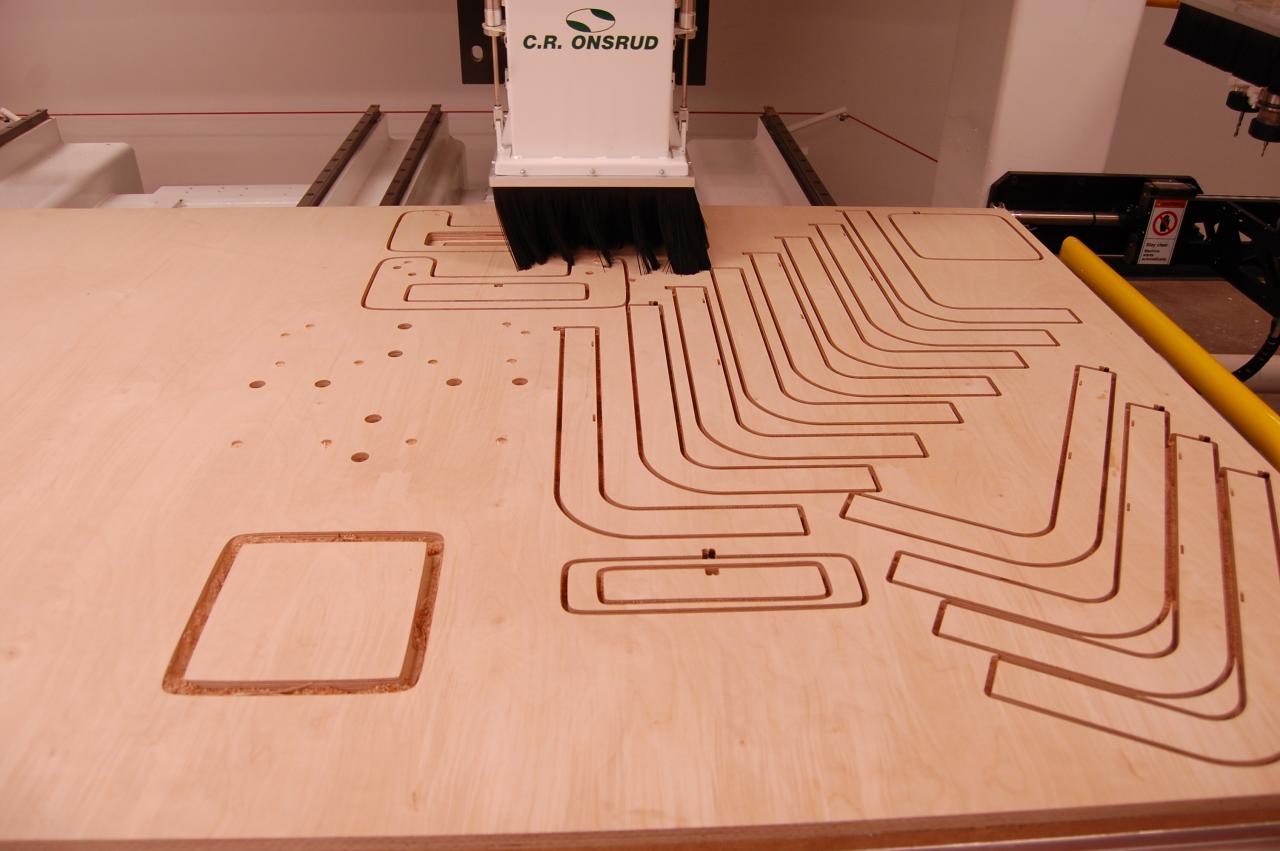
Computer Numerical Control (CNC) is a method of manufacturing products that use numerical control machines, rather than manual labor. These machines use computer-programmed commands to automate the machining process and allow for precise control over the product’s features and size. CNC machines are used to create everything from automotive parts and medical implants to furniture, toys, and jewelry. The most popular CNC brands include Haas Automation, Fadal, Mazak, Okuma, and DMG Mori Seiki. Haas Automation offers a variety of top-notch products such as lathes, mills, and turn-mills that are designed for maximum efficiency and productivity. Fadal produces CNC milling machines that are used by many industries including aerospace, medical, and military. Mazak provides advanced multi-tasking centers with powerful turning capabilities as well as advanced 5-Axis machining technology to produce complex parts in one setup. Okuma manufactures highly productive vertical machining centers as well as dedicated horizontal lathes and mills that provide unmatched performance. DMG Mori Seiki manufactures both high-speed cutting centers and high-power spindles which provide excellent accuracy in any machining application.
Assembly:
Automated assembly systems can help to increase production capacity, reduce errors, and improve quality. Here are a few examples of this technology: Robotic assembly systems: These systems use robots to automate assembly tasks, such as picking and placing parts or performing repetitive motions.
- Robots can be programmed to perform a wide range of tasks and can work around the clock without fatigue, though, are often expensive and difficult to implement. Well-known robotics brands are FANUC, ABB, and KUKA.
- Pick-and-place systems: These systems use cameras, sensors, and robotic arms to automatically pick and place components into position for assembly. They can be used for a wide range of applications, from electronics assembly to packaging. Adept Technology, Epson Robots, and Stäubli Robotics are all excellent examples.
- Collaborative robots (cobots): These are robots designed to work alongside human workers, often performing tasks that are repetitive, dangerous, or physically demanding. Cobots can be programmed to perform a wide range of tasks and can help to improve efficiency and productivity while reducing the risk of injury. These cobots are generally safer than dedicated robots without the need for safety fences. Examples include Universal Robots, Rethink Robotics, and FANUC.
Packaging:
Automated packaging systems can help to reduce waste and increase efficiency by packaging products quickly and consistently. Choosing the right automated packaging system will depend on the specific needs of the business, such as the size and weight of the products, the type of packaging required, and the desired throughput rate.
- Automated cartoning machines – These machines can fold and assemble cartons, fill them with products, and then close and seal them. They can handle a wide range of products and carton sizes, making them suitable for a variety of industries.
- Case packing and palletizing systems – These systems can automatically pack products into cases or boxes, and then palletize them for shipping. They can handle a wide range of products and packaging sizes, reducing the need for manual labor.
- Bagging machines – These machines can automatically fill, seal, and label bags of various sizes and shapes. They can be used for a wide range of products, from food to industrial materials.
- Labeling systems – These can apply labels to products or packaging automatically, reducing the need for manual labeling. They can be used for a wide range of products and labeling needs.
- Stretch wrapping machines – These machines can wrap pallets or bundles of products in stretch film, ensuring that they are securely packaged for shipping. They can handle a wide range of product sizes and shapes, making them suitable for a variety of industries.
Material Handling:
Automated material handling systems can help to reduce labor costs and increase efficiency by moving materials and products throughout the facility. Factors to consider might include the size and weight of the materials, the desired throughput rate, and the available space.
- Automated Guided Vehicles (AGVs) – These are self-driving vehicles that transport materials and components around the shop floor. They can be programmed to follow specific routes and perform tasks such as loading and unloading machines or delivering parts to assembly lines.
- Conveyor systems – These use belts, rollers, or other mechanisms to transport parts or components through the factory or shop floor. They can be used to move parts between machines or workstations, reducing the need for manual handling.
- Automated storage and retrieval systems (ASRS) – These systems can store and retrieve materials and products automatically. They can be used to store materials in a compact and organized manner, reducing the need for manual handling.
- Robotic material handling systems – These use robots to automate material handling tasks, such as loading and unloading machines or moving materials around the shop floor. They can be programmed to perform complex tasks and work around the clock without fatigue.
Smart Toolboxes:
Smart toolboxes are designed to keep tools (including the infamous 10mm socket) from being misplaced, which could be costly over time. Utilizing RFID tags, they’re able to track when tools are removed or replaced, and that information is then transmitted to a cloud-based system for tracking. Depending on the model, some toolboxes also come with user authentication technology, such as keycard readers, fingerprint scanners, and more. Snap-On Level 5 offers this autonomy as well as others.
Tool Vending Machines:
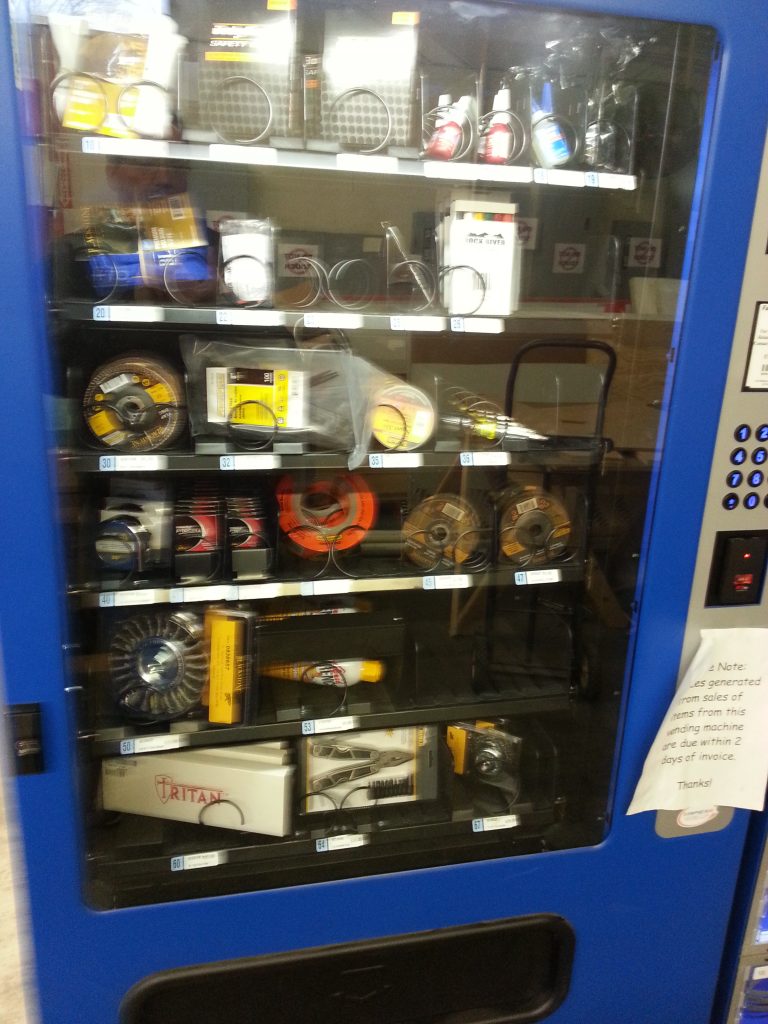
Tool vending machines are excellent pieces of automation that can dispense anything ranging from fasteners to drills, to even aircraft engine parts. They vary in size depending on the shop’s needs and are typically easier than signing out equipment or supplies from a support section. ToolBOSS, CribMaster, and Autocrib are all good examples of this technology.
Step 2: Estimate Costs of Implementation
Once you have identified the areas for automation, the next step is to estimate the costs involved. The cost of automation can vary widely depending on the specific technology and the size and complexity of the facility. Some of the factors to consider when estimating costs include:
- Hardware costs: This cost consists of automated machineries, such as CNC machines, robotic arms, and conveyor systems.
- Software costs: This includes the cost of the software needed to control and program the automated machinery. Sometimes it is important to hire a dedicated IT crew to keep this software running at its maximum potential.
- Installation costs: This cost can differ wildly depending on the desired setup and the current facility. It includes transportation costs, costs for hiring a team of planners or engineers, and costs related to modification of the facility.
- Training costs: This includes the cost of training employees to use and maintain the automated machinery as well as any associated safety training.
- Maintenance costs: This includes the cost of maintaining and repairing the automated machinery over time. Lubricants, downtime, and replacement parts should be calculated as well.
It is essential to carefully consider all of these costs when estimating the total cost of automation as well as to remember that automation can provide significant long-term cost savings by increasing efficiency and reducing labor costs. Calculating return on investment, or, ROI, is always a good rule of thumb to predict when you should be expecting these automated devices to save you money, rather than spending it. To calculate ROI, you start with the net gain or loss from a given investment and divide it by the total amount invested. The result is then multiplied by 100 to get the return on investment in percentage form. For example, if you invest $500 and make $50 in profits, your return on investment would be 10 percent ($50/$500 x 100). ROI can be calculated for any period of time – from days to years – and can also be used to compare different investments over the same period of time.
Step 3: Setting Up
Implementing various automation technologies can greatly benefit small factories or machine shops by reducing labor costs, increasing productivity, and improving product quality. However, it is important to carefully plan and execute the implementation to ensure success and safety. Here are some steps and considerations to keep in mind when implementing various automation technologies:
Cloud-based Inventory Management Systems:
- Establish a plan for how to best implement the cloud-based inventory management system, considering the size and scope of the factory. It is important to consider which components of inventory control need to be automated and how much manual input will be needed.
- Select an appropriate platform for your cloud-based inventory management system. Consider factors such as compatibility with existing systems, scalability, security measures, and cost before making your choice.
- Develop processes for loading the data into the cloud-based system, including cataloging existing inventory items, setting up stock replenishment triggers, and other business rules related to the specific needs of your factory.
- Train staff on how to use the new system to ensure that they are comfortable with its features and capabilities. This might include providing interactive courses or tutorials, running simulations so that users can practice their skills, and consulting experts who can provide guidance when needed.
- Create a testing environment for evaluating whether the new system is working correctly before launching it in production mode within the factory’s operations. This includes ensuring that all hardware components are properly connected, data entry is accurately entered into the system, business logic is functioning correctly, and user interfaces are intuitive and easy to use.
- Monitor performance metrics once live operations have begun to ensure that objectives such as increased efficiency or cost savings are achieved with minimal disruption or risk of failure due to unexpected issues or downtime from third-party providers associated with your cloud-based inventory management system.
CNC Machines:
- Research and select the right CNC machines for the factory’s process needs. Consider factors such as machine size, speed, accuracy, motor types, and the number of axes.
- Analyze the factory environment to make sure it is suitable for CNC machines. Check the floor space available, power requirements, ventilation systems, ambient temperature levels, and workstation ergonomics.
- Train personnel on how to use CNC machines safely and effectively. Ensure that everyone understands the principles of operation as well as safety protocols related to the operation and maintenance of the machines.
- Secure necessary materials for operation, including but not limited to cutting tools (such as end mills), clamping fixtures, raw material stock, coolant fluids, and lubricants.
- Install the CNC control panel at an appropriate location with proper wiring setup to ensure accurate communication between machinery components and easy operator access during production processes.
- Program the manufacturing process into the controller using CAM software that generates G-code instructions for tool operations like drilling or cutting patterns in a specific sequence to create finished parts or products from raw material stock.
- Assemble all components of the machine with special care taken for proper alignment between motor shafts and their respective spindles or slides per manufacturer guidelines; also secure attachments like chucks or vices firmly in place before test running the machining program code.
- Test run the programmed commands with all safety mechanisms in place; check if there are any errors or discrepancies before running full production runs on all machines installed in the factory shop floor area.
- Optimize production output by fine-tuning parameters like feed rates or spindle speeds throughout all stages of machining processes while monitoring cycle times to minimize operational downtime due to possible machine breakdowns even with preventive maintenance schedules in place.
- Monitor overall performance data from various stages of production operations; maintain records for future reference when making improvements or changes to existing solutions implemented in the existing setup Automated assembly systems.
Automated Packaging and Material Handling Systems:
- Determine the appropriate type and size of the packaging system for the specific needs of the business.
- Ensure that the system is properly installed and calibrated for optimal performance and safety.
- Train employees on how to operate the system and follow safety protocols.
- Regularly perform maintenance and inspections to ensure optimal performance and prevent accidents.
- Add any additional safety equipment, such as light curtains and safety fences around any stationary robotic machine.
- Monitor the packaging process to ensure that the system is performing as intended and producing high-quality packaging.
Smart Toolboxes:
- Compare brands to determine which model has the best features that suit your needs.
- Train employees on how to use and maintain the toolbox.
- Proper security of the toolbox is always highly advised, whether it be permanently attached or by lanyard or lock.
- Regularly monitor tool usage as well as wear to restock as needed.
Tool Vending Machines:
- Choose a reputable vendor that offers reliable and user-friendly software.
- Train employees on how to use the machine and ensure that all necessary data is entered accurately.
- Regularly restock the machine with the necessary tools and supplies.
- Monitor usage and adjust inventory levels as needed to prevent stockouts.
Overall, when implementing various automation technologies, it is important to prioritize safety and provide proper training for employees. Regular maintenance and inspections should also be performed to ensure optimal performance and prevent accidents. While upfront costs may be high, the long-term benefits of automation can greatly outweigh the initial investment, leading to increased productivity, reduced labor costs, and improved product quality.
Step 4: Monitor and Evaluate the Results
A company can monitor and evaluate the results and return on investment from implementing automation into their small-scale factory or workshop by tracking progress at each stage of production. During the automation process, benchmarks should be set to measure the success or failure of any changes. This could include measuring increased efficiency, savings in labor costs, completion times, and quality control. Additionally, these measures should also be compared against existing manual methods to accurately gauge the ROI.
To further monitor the success of automation within a company, management should take inventory of all associated costs related to training employees on new automated systems as well as any maintenance fees for repairing or replacing malfunctioning equipment. Employee feedback can also be another important source of information when it comes to evaluating the success of automating certain processes. Through a combination of periodic surveys and interviews, companies can gain insight into how their employees feel about new automated practices and whether they are helping them become more productive.
Overall, by keeping track of various metrics throughout the automation process and staying attuned to employee feedback, companies can ensure that they maximize their return on investment by implementing automated systems into their workspace. While this article brushes lightly on this topic, other factors for automation can come into play and we have a wide variety of topics discussed, such as PLC selection guides, motor and drive selection guides, and others that could help!
DO Supply Inc. makes no representations as to the completeness, validity, correctness, suitability, or accuracy of any information on this website and will not be liable for any delays, omissions, or errors in this information or any losses, injuries, or damages arising from its display or use. All the information on this website is provided on an "as-is" basis. It is the reader's responsibility to verify their own facts.