PanelView Performance in Cold Storage and Outdoor Installations
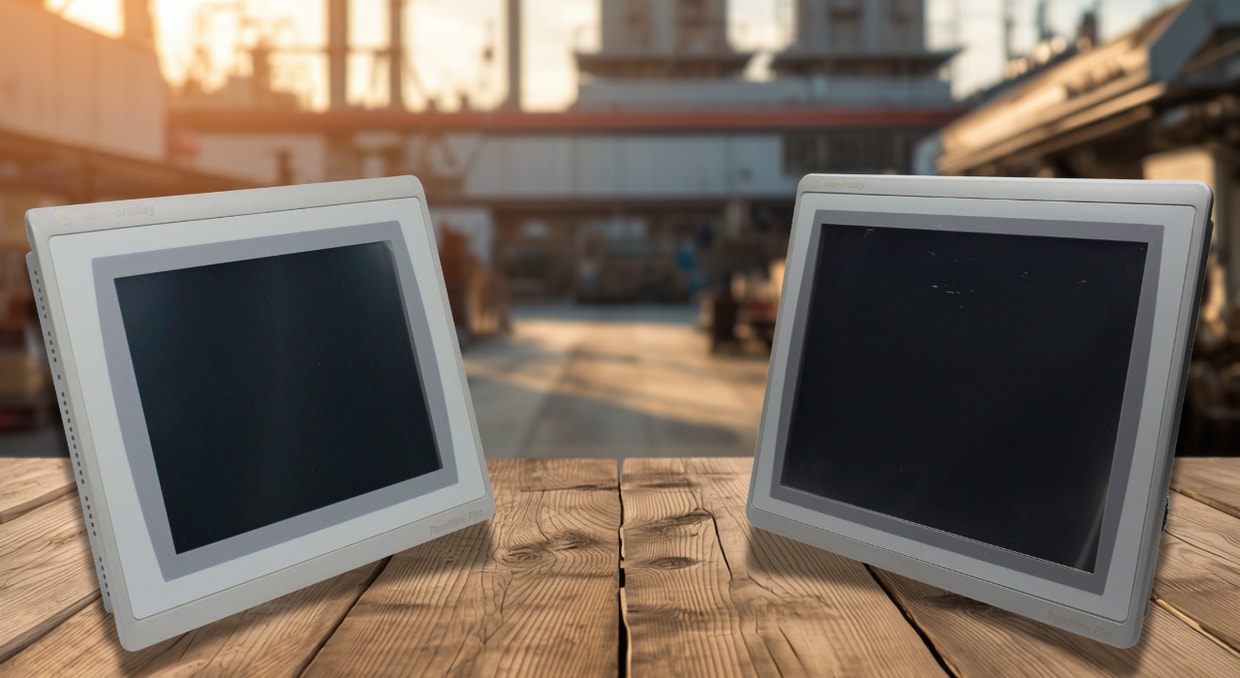
Allen-Bradley PanelView terminals from Rockwell Automation are core Human-Machine Interface (HMI) solutions for industrial automation. While ideal for climate-controlled industrial settings, cold storage and outdoor deployments present significant extreme environmental challenges, such as sub-zero temperatures and direct UV & solar radiation. Optimizing PanelView terminals for such extreme environmental conditions requires strategic hardware selection (e.g., robust enclosures such as NEMA 4X-rated enclosures), precise thermal management strategies, and comprehensive preventive maintenance practices. This article explores the operational parameters of PanelView terminals deployed in extreme industrial environments. It presents a comparative analysis of specific PanelView terminal models, practical environmental mitigation strategies, and proactive failure-prevention techniques.
Understanding PanelView in Harsh Environments
Environmental Adaptability of PanelView Terminals
Standard PanelView terminals are designed to operate within specific temperature ranges (typically 0°C to 55°C, depending on the model). Deploying these PanelView terminals in harsh environments, such as freezers or outdoor conditions, exposes them to environmental and thermal stresses beyond their recommended operating limits.
In cold storage facilities, PanelView terminals are exposed to temperatures ranging from -30°C to 0°C (-22°F to 32°F), with rapid temperature transitions occurring when opening the freezer unit doors or during defrost cycles. In outdoor installations such as wastewater treatment or refinery plants, PanelView terminals are exposed to temperatures ranging from -20°C to 60°C, ultraviolet (UV) radiation, rain, chemical pollutants, and windblown dust.
Rockwell Automation offers the ArmorView Plus 7 PanelView terminals for extreme temperature fluctuations (such as -20°C to 60°C) and for outdoor exposure to direct sunlight, Ultraviolet (UV) radiation, dust, and chemical pollutants. These environmental conditions typically require specialized “XT” (Extreme Environment) or UL Type 12, 13, 4X, or IP66/IP69K and NEMA-rated enclosures.
The adaptability of PanelView terminals to extreme environments depends on the integrated display, logic, and communication modules, which are typically designed to meet specific environmental requirements. However, the environmental resilience of a given PanelView model cannot, by itself, substitute for proper enclosure selection. Most premature PanelView unit failures stem from poor thermal management within the selected enclosure or insufficient ingress protection. As such, selecting an appropriately rated enclosure for your PanelView terminal is critical.
Environmental Ratings
Engineers and system integrators rely on NEMA and IEC Ingress Protection (IP) enclosure ratings to ensure reliable PanelView performance. These ratings define how well the selected enclosure protects the PanelView internal circuitry and touchscreen functionality against corrosive chemicals, gaseous hazards, moisture ingress, and solid debris, ensuring safe operation in extreme industrial environments.
NEMA 4X-rated enclosures protect against external ice formation, splashing water, and industrial chemicals, and offer superior corrosion resistance—the “X” designates extra corrosion resistance. While the NEMA 12 enclosures offer protection against dripping non-corrosive liquids, circulating dust, and falling dirt, they are not suitable for outdoor applications or corrosive washdown environments.
IP66-rated enclosures provide protection against powerful water jets while also providing a dust-tight construction. On the other hand, the IP67-rated enclosures protect against temporary immersion and dust. A NEMA 4X or IP66/IP67 enclosure rating is recommended for PanelView terminals installed in cold storage facilities prone to frequent condensation. Deploying PanelView terminals in cold storage installations without such protection leads to rapid moisture ingress that corrodes their internal circuitry, causes display fogging, and degrades touchscreen responsiveness.
System Reliability
Allen-Bradley PanelView terminals are essentially engineered to operate safely, reliably, and efficiently in harsh industrial environments. System reliability is achieved through the following three foundational pillars:
- Component Selection: Selecting industrial-grade capacitors and solid-state components, as well as high-brightness TFT LCD displays designed to withstand extensive electrical and thermal stress, is critical.
- Enclosure Ratings: Use ruggedized NEMA 4X or IP66/IP67-rated enclosures and sealed cable glands to prevent ingress of moisture, dust, and corrosive fluids. In sub-zero temperatures, the use of integrated desiccants and internal heaters is recommended to absorb internal humidity and prevent destructive condensation.
- Best Operational Practices: Actively monitor the ambient humidity and cabinet temperatures to keep PanelView operations within the rated environmental specifications. Also, perform routine maintenance, such as gasket inspections, firmware updates, and cleaning fan filters, to ensure software stability and efficient heat dissipation.
When these three foundational pillars are aligned, PanelView terminals can achieve Mean Time Between Failure (MTBF) values exceeding 50,000 hours, depending on operating conditions and the specific PanelView model. A deviation from these pillars often leads to predictable degradation patterns, such as premature backlight fading and touch-control faults, due to water ingress or thermal runaway.
Cold Storage Challenges
Operating standard PanelView HMIs in cold storage environments (-10°C to -30°C) without the recommended enclosure ratings poses severe hardware risks. Extreme cold exponentially degrades LCD display performance, while rapidly changing temperatures trigger significant thermal contraction that can permanently damage electrical connections. Essentially, cold-storage environments trigger the following core technical challenges:
- LCD Lag and Display Degradation: Liquid crystal displays (LCDs) operate by orienting the crystal molecules position via electric fields. At sub-zero temperatures, molecular realignment is slow due to the increasing viscosity of the liquid crystal. What operators see:
- Slower Refresh Rates: Screen updates seem to take longer than 200 ms, leaving behind motion graphics and ghost trails.
- Delayed Touchscreen Response: The touch screens remain functional, but the screen takes so long to update that it can confuse the operators, leading to accidental inputs.
- Reduced Contrast: Instead of presenting a clear black text, the cold LCD display colors fade into washed-out, illegible grays.
When PanelView Plus 7 terminals are exposed to -20 °C without a heater, the result is display sluggishness within minutes. Which is exactly why Rockwell Automation warns against turning them on at temperatures below 0°C. In addition, because different materials expand and contract at different rates, powering on a PanelView terminal with a frozen LCD display can cause permanent physical damage.
Thermal Contraction
Exposing PanelView terminals to sub-zero temperatures causes components like connectors, solder joints, and printed circuit boards (PCBs) to shrink at different rates. The real issue is that the lead-free solder dots contract much faster than the PCB itself, triggering a microscopic tug-of-war whenever the temperature changes.
When cold storage rooms undergo defrost cycles, the temperature fluctuations can lead to:
- Cracked Solder Joints: The printed circuit boards expand and contract much faster compared to hot power regulators and large chips such as BGA (Ball Grid Array) processors. The resulting microscopic tug-of-war eventually causes the delicate solder balls underneath the chips to snap.
- Failing Touchscreen Digitizer Cables: The touchscreen becomes completely unresponsive due to the delicate flex cables connecting the touchscreen digitizer to the main board becoming brittle.
- Shattered LCD Glass: Severe mechanical stress at the edges of the LCD glass creates microscopic cracks that later spread across the screen.
Condensation Risks
In cold storage, moisture is the primary mechanism of electrical failure. When a PanelView terminal operating at -20°C in a freezer is exposed to warm, humid air, such as during enclosure door openings or facility defrost cycles, condensation immediately coats its cold external and internal surfaces, triggering short circuits and accelerated corrosion. Moisture inside a PanelView housing mostly builds up on:
- PCBs: Moisture bridging nearby adjacent traces and pins can cause short circuits, degrade dielectric strength, and accelerate galvanic corrosion
- Touchscreen layers: Since the PanelView capacitive screens are designed to detect electrical charge from the operator’s finger, a layer of conductive moisture often creates dead zones and frustrating false touches.
- Connectors and backlight inverters: High-voltage backlight circuits easily arc when wet. Even if the PanelView terminal is not powered while wet, residue moisture will gradually corrode exposed metal components. Intermittent failures are triggered by oxidized metal salts appearing on PCBs.
Mitigation Strategies
To run a PanelView reliably in cold storage facilities, a single fix is not sufficient; rather, a layered defense strategy is required. A typical multi-layered defense strategy should entail:
- Sealed Enclosure Ratings: Use IP66 and NEMA 4X-rated enclosures as they feature continuous, seamless gaskets. This keeps high-humidity ambient air outside the main PanelView housing, completely blocking moisture ingress.
- Internal Moisture Control: Place indicating silica gel packs inside the PanelView enclosure to absorb trapped moisture; be sure to replace them every 3-6 months. Install a regenerative desiccant dryer in larger PanelView enclosures to continuously remove moisture and maintain the required dew point.
- Bezel Sealing: Be sure to install closed-cell silicone gaskets between the enclosure cutout and PanelView bezel to prevent moisture ingress.
- Stainless steel Housings: Use 304 and 316 stainless steel enclosures to provide protection against washdown chemicals and localized corrosion from ammonia in cold storage facilities.
- Anti-Condensation Heaters: Install self-regulating heaters inside the PanelView enclosures and set their thermostats above the lowest ambient room temperature (3 °C to 5 °C). This helps keep the PanelView’s internal temperature above the safe dew point, preventing condensation on its electronics.
Outdoor Installation Challenges
Installing PanelView terminals outdoors exposes them to UV degradation, chemical contaminants, dust, and extreme temperature fluctuations. Specialized engineering measures are therefore necessary to counteract these potential hazards. They include:
Sunlight Readability
Standard PanelView displays only output luminance ranging from 300 to 400 nits, whereas direct sunlight can reach up to 100,000 lux. This ambient reflection completely washes out the screens of standard PanelView models, rendering them totally invisible.
To provide graphics and readable text under direct sunlight, PanelView high-bright modules, such as the 2711P-RDT12H, are the best option. They can attain 1000-1500 cd/m². Readability can be further enhanced by optical bonding between the LCD player and the cover glass, which improves contrast and minimizes internal reflections.
High-brightness modules are non-negotiable for outdoor PanelView installations. Anti-reflective coatings and anti-glare treatments are crucial for reducing reflections but cannot achieve luminance above 800 cd/m².
Temperature Extremes
- Heat: Standard Allen-Bradley PanelView terminals usually operate at an ambient temperature limit of 55°C. However, exposure to direct sunlight raises the internal enclosure temperature 20°C to 30°C above the recommended ambient temperature. During summer days, the temperature inside a dark-painted enclosure typically ranges from 65 °C to 70 °C. Excessive heat rapidly shortens the lifespan of electrolytic capacitors, while a 10°C temperature rise can readily degrade touchscreen adhesives.
- Cold: Unheated cold storage facilities and freezing winter nights present a different challenge. Temperatures below -20°C cause severe LCD lag, where the graphics update in slow motion.
Thermal Management Strategies
- Passive cooling: PanelView enclosures should be mounted in naturally shaded positions, like under an existing roof overhang. Light-colored paints such as beige and white, and large enclosures are recommended as they help reflect the sun’s rays
- Forced Cooling: If the environment’s ambiance requires it, install filtered fans with thermostatic control to actively force the hot air out and regulate the enclosure’s internal temperature. Since dust can clog the filters and trap heat inside, they must be cleaned every month.
- Active Cooling for Extreme Climates: Internal enclosure temperatures can be maintained at 25°C to 30°C by compressor-based or thermoelectric enclosure air conditioners. Even in situations where the ambient exceeds 50°C.
- The same heater strategy applied in cold storage can be used when dealing with cold winter climates.
- Ingress Protection
PanelView terminals installed outside must resist:
- Dust: Fine particles of cement dust or sand can sneak through tiny cracks and settle on circuit boards, acting as insulating blankets trapping heat.
- Rain: Water from melting snow or rainstorms finds its way past the seal, corroding copper traces and causing sudden electrical arcs.
- Chemical exposure: Corrosive elements such as chemical fertilizers and airborne pollution attack the HMI and enclosure components aggressively.
How to Protect Your PanelView Setup
To ensure excellent reliability and longevity for PanelView setups in harsh industrial environments, their enclosure specifications must be precise. Outlined below is a technical breakdown of how to adequately protect your PanelView setup.
- Use NEMA 4X or IP66-rated enclosures, which is the minimum rating for cold-storage and outdoor installations. Ensures the enclosure is completely sealed from windblown dust and horse-directed water.
- Install a Sloped-Roof Enclosure: To stop rain, corrosive washdown fluids, and snow from pooling on the PanelView cabinet, a sloped-top enclosure must be installed. This forces the water to slide off the sides without causing any damage.
- Install a Protective Sun Hood: Add a metal shroud or overhang over the front of the PanelView to provide shade and protect the touchscreen against UV degradation.
- Install Special Breather Drains: Pressure-equalizing vents, such as Gore vents or Eaton hydrophobic drains, are necessary at the bottom of the PanelView enclosure. They equalize pressure and enable the enclosure to breathe while actively preventing the entry of liquids and dust.
- Industrial Resilience: Standard aluminum and painted carbon steel usually corrode easily and frequently fail within months in highly corrosive environments. When operating in harsh industrial settings such as offshore platforms, chemical plants, and mining industries, deploy PanelView terminals with 304 or 316 stainless steel enclosures for ultimate protection against pitting and crevice corrosion. PanelView 5000 models include stainless steel bezels, which offer excellent resistance against crevice corrosion and pitting.
Completely sealed stainless-steel enclosures, which are third-party products, featuring a clear built-in viewing window, are also ideal for extreme environments. Sealed membrane keypads are prioritized over capacitive touchscreens in dusty environments because water/dust accumulation and thick industrial gloves do not easily cause them to misfire.
Conclusion
Proper selection and protection of PanelView terminals is crucial to ensure reliability in both outdoor installations and cold storage facilities. Their performance in these settings heavily relies on the enclosure design, environmental ratings, thermal management, and maintenance practices. While standard PanelView terminals are not rated for operation in outdoor or extremely cold environments, when combined with disciplined engineering and appropriate protective and climate-controlled enclosures, these terminals can operate reliably well beyond their standard environmental specifications for many years.
Taking the necessary protective measures and maintaining proper environmental control enable the PanelView terminals to maintain faster processing speeds and optimal screen readability, delivering reliable performance whether operating in a 50°C desert solar environment or a -30°C freezer.
Need help keeping your PanelView terminals protected in harsh environments? We at DO Supply can help you find replacement Allen-Bradley PanelView HMIs, compatible hardware, and repair options for terminals exposed to cold storage, outdoor conditions, washdown areas, and other demanding industrial settings. Contact us today to check availability, request a quote, or learn more about our repair services and 2-year warranty.
DO Supply Inc. makes no representations as to the completeness, validity, correctness, suitability, or accuracy of any information on this website and will not be liable for any delays, omissions, or errors in this information or any losses, injuries, or damages arising from its display or use. All the information on this website is provided on an "as-is" basis. It is the reader's responsibility to verify their own facts.