Mitsubishi GOT2000 vs PanelView 5500
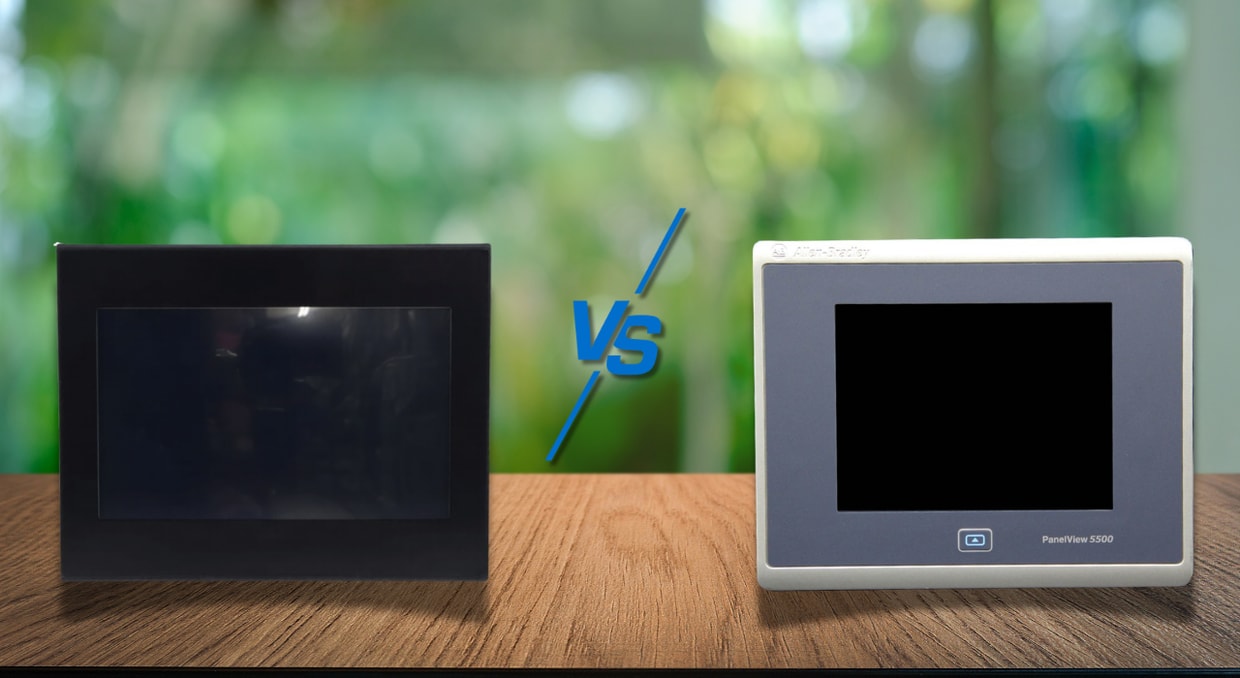
A graphic terminal remains an invaluable asset within most automated systems. It gives operators a practical way to see what a machine is doing, respond to alarms, adjust process values, and keep production moving without needing to dig through the control cabinet every time something changes. Of course, the effectiveness of the terminal varies depending on factors such as screen size, graphic design, responsiveness, and so on.
Because of this, it can get a bit overwhelming trying to spec the perfect HMI for your setup. Today, we’re here to narrow down your search with two popular offerings on the market: The Mitsubishi GOT2000 series and the Allen-Bradley PanelView 5500 series. Both of which are built for a serious industrial environment, yet lean into their own strengths that we will go over to help you make a more informed decision.
A Quick Look at Each HMI Family
Before diving into the comparisons, it’s best to go over what each HMI’s family is trying to accomplish. While the Mitsubishi GOT2000 and the Allen-Bradley PanelView 5500 are both performance-focused industrial terminals, they aren’t built with the same philosophy.
Mitsubishi GOT2000
The Mitsubishi GOT2000 series is a broad HMI family designed for a wide range of machine-level and plant-floor applications, ranging from compact operator panels to more advanced terminals with larger screens and enhanced features. To do this, Mitsubishi designed the following models:
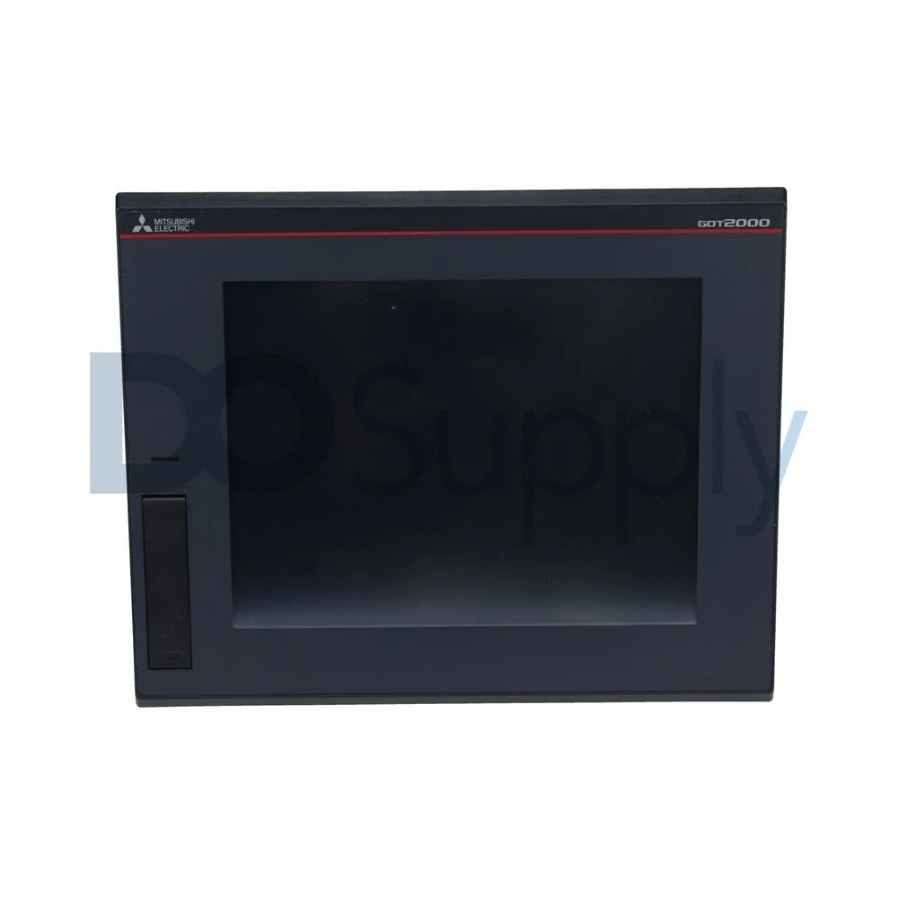
- GT27: The flagship model of the GOT2000 line.
- GT25: The cost-conscious, mid-range model.
- GT25 Rugged: A robust version of the GT25 aimed for harsh environments.
- GT25 Open Frame: A frameless GT25 designed for a gapless, flush fit mount.
- GT25 Wide: A wider variant of the GT25 for an expanded view.
- GT23: An even more budget-friendly offering with both 8.4-in and 10.4-in variants.
- GT21: The smallest terminal at 4.3-in.
- GT21 Wide: An extended, 7-in GT21 terminal.
- Handy GOT: A handheld, feature-packed HMI.
This range makes the GOT2000 line more of a general-purpose HMI rather than targeted for specific industries. It also plays nicely with other non-Mitsubishi automation systems, though, as you could expect, they fit seamlessly within a Mitsubishi-centered control environment.
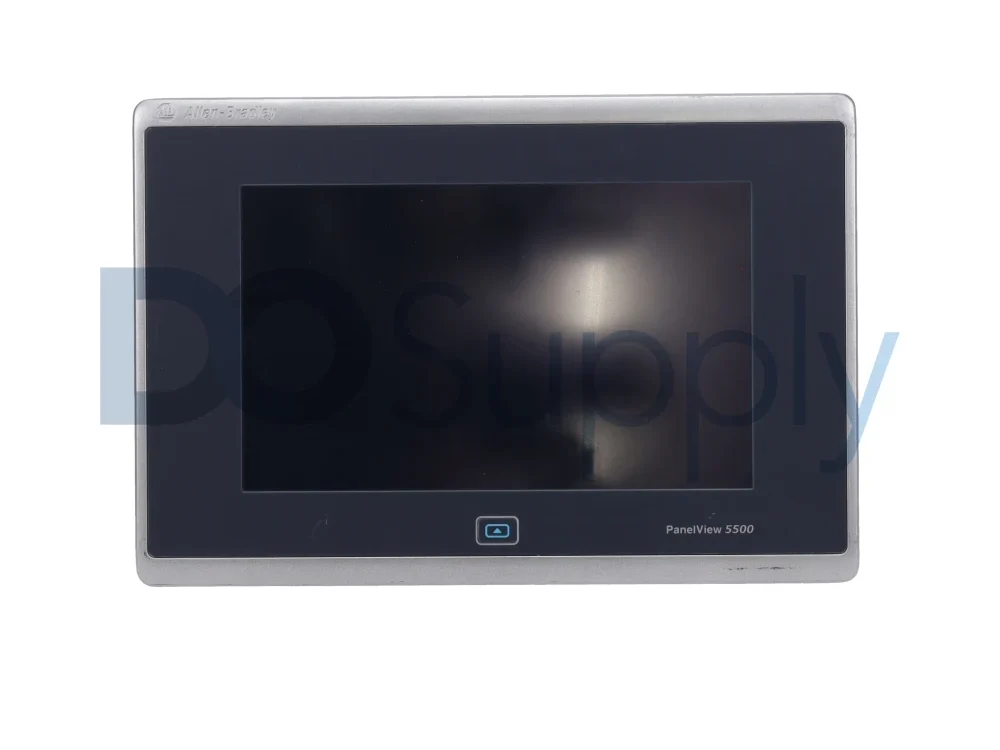
Allen-Bradley PanelView 5500
Rockwell Automation’s approach with the PanelView 5500 is more about catering to a modern Allen-Bradley control system with its Logix-centric design, rather than to a broad HMI family with many tiers. Naturally, this becomes one of the biggest selling points for those who do have Logix controllers, specifically the ControlLogix 5570 or CompactLogix L1, L2, or L3 controllers with revision 27 firmware or later.
The PanelView 5500 family includes 6.5-, 9-, 10.4-, 12.1-, 15-, or 19-inch displays, with keypads available on the 6.5-, 10.4-, and 15-inch variants. They also support modern Ethernet-based networking, including models with dual Ethernet ports that can support Device-Level Ring, linear, or star network topologies, adding versatility.
As we mentioned before, these HMIs stand out in applications within the Allen-Bradley ecosystem. Its direct compatibility with certain ControlLogix and CompactLogix controllers makes it easy to integrate into the system. This does make it a focused application, but it is also still a very clean and capable operator interface.
Screen Options
The first thing you notice about an HMI is its screen, whether for better or for worse. Modern-day terminals have come a long way from early seven-segment displays and bulky monochrome CRT displays, offering a more pleasant overall experience.
Display Type
The displays that the PanelView 5500 and the GOT 2000 family ship with are TFT (thin-film-transistor) LCDs.
A TFT display uses a dedicated transistor and capacitor for each pixel, which act as a switch while the liquid crystal layer modulates the light from the backlight. This creates a higher resolution and deeper color depth while still maintaining energy efficiency. While not applicable to these HMIs, TFT displays can also be paired with IPS (in-plane switching) and VA (vertical alignment) technology, which are commonly used for computer monitors.
Resolution
A screen’s resolution is usually everyone’s first question, whether they are fitting an HMI to their machine or a new OLED TV to their living room wall. While an HMI doesn’t need to look like a gaming monitor, it still needs to be sharp enough to display text and graphics to its operators accurately and clearly. A larger screen with complex systems should be designed with a higher resolution than a smaller terminal fitted with fewer buttons.
The GOT2000 and PanelView 5500 families do share similar resolutions with slight differences:
| Screen Size | PanelView 5500 | GOT2000 GT27 | GOT2000 GT25 | GOT2000 GT23 |
| 5.7 in. | Not offered | VGA, 640 × 480 | VGA, 640 × 480 | Not offered |
| 6.5 in. | VGA, 640 × 480 | Not offered | VGA, 640 × 480, Handy GOT | Not offered |
| 7 in. wide | Not offered | Not offered | WVGA, 800 × 480, wide/rugged models | Not offered |
| 8.4 in. | Not offered | VGA, 640 × 480 or SVGA, 800 × 600 | VGA, 640 × 480 | VGA, 640 × 480 |
| 9 in. wide | WVGA, 800 × 480 | Not offered | Not offered | Not offered |
| 10.1 in. wide | Not offered | Not offered | WXGA, 1280 × 800 | Not offered |
| 10.4 in. | SVGA, 800 × 600 | VGA, 640 × 480 or SVGA, 800 × 600 | VGA, 640 × 480 | VGA, 640 × 480 |
| 12.1 in. | WXGA, 1280 × 800, widescreen | SVGA, 800 × 600 | SVGA, 800 × 600 or WXGA, 1280 × 800, wide model | Not offered |
| 15 in. | XGA, 1024 × 768 | XGA, 1024 × 768 | Not offered | Not offered |
| 19 in. | SXGA, 1280 × 1024 | Not offered | Not offered | Not offered |
The PanelView 5500 takes the lead in display size and, in some categories, in higher resolution, such as the 10.4- and 12.1-inch sizes. Another advantage for the PanelView 5500 is the color depth, which supports 262,144 colors, which is considerably more than the average GOT2000 panel with 65536 colors. In normal HMI use, though, color depth is usually less important than resolution, brightness, viewing angle, screen layout, and the clarity with which alarms and machine states are presented.
Touch Input
Touch input refers to how many points of contact the screen can correctly register simultaneously. The PanelView 5500 only allows one point of contact, or a single finger press. The GOT2000 GT27, however, allows for two. While this may sound like a small win, this allows designers to incorporate a two-stage sequence onto their screen.
Hardware Comparison
A pretty screen isn’t useful when it doesn’t have the hardware to back it up. A slow, laggy, and unresponsive screen can cause delays, user frustration, and even downtime. Here’s how they compare:
RAM and Internal Storage
On paper, the PanelView 5500 has the stronger RAM figure. Rockwell lists the PanelView 5500 terminals with 512 MB of RAM and 250 MB of nonvolatile storage for projects. That gives the PanelView 5500 a clear advantage in listed memory capacity compared to the GOT2000 models in this comparison.
The Mitsubishi GOT2000 lineup varies more by model family. Several GT27, GT25, and GT23 models list 80 MB of operation memory, while some GT25 wide models list 128 MB of operation memory. Mitsubishi also separates memory for operation from memory for storage, with many of these models listing 32 MB of ROM storage.
While this doesn’t mean that the PanelView 5500 is automatically better than the GOT2000 lineup, it does mean that they offer more headroom for more complex applications.
External Storage
External storage for both HMIs is fairly practical. The PanelView 5500 includes an SD card slot for external storage and two USB 2.0 ports for flash drives. The GOT 2000 supports SD/SDHC card support on major GT27, GT25, and GT23 models.
Communication
Communication is one of the clearer differences between the PanelView 5500 and the GOT2000 family. The PanelView 5500 is built around Ethernet communication and includes two 10/100Base-T Ethernet ports that support Device Level Ring, linear, or star network topologies. That makes it a clean fit for EtherNet/IP-based Allen-Bradley systems, especially when the HMI is being used with a supported ControlLogix or CompactLogix controller.
The GOT2000 family is more varied. Many GT27, GT25, and GT23 models include Ethernet, RS-232, and RS-422/485 interfaces, providing greater flexibility for connecting to various controllers, drives, temperature controllers, barcode readers, and older serial devices. This is especially useful in mixed-machine environments where not every device is already on Ethernet.
In practical terms, the PanelView 5500 is stronger when the system is already built around a modern Ethernet-based Allen-Bradley architecture. The GOT2000 has the edge when the HMI needs to communicate with a broader mix of industrial devices, especially when serial communication still matters.
Environmental Ratings
For more intense industrial applications, Mitsubishi has a strong advantage with its GT25 Rugged line. With the GT2507T-W, you’re looking at:
- -20 to 65°C operating temperature range
- 2x stronger vibration and shock resistance compared to non-rugged models
- 2x screen brightness compared to non-rugged models
- IP66F and IP67F water jet resistance
- UV resistance
- Compliance with safety and maritime standards
The PanelView 5500 terminals are rated for 0 to 55°C operation on most models, while the 19-inch version is rated for 0 to 50°C. Rockwell also lists 5-95% non-condensing humidity, IP66 protection, and NEMA/UL Type 12, 13, and 4X ratings for indoor use. This makes them well-suited for normal panel environments.
Final Thoughts
Both the Mitsubishi GOT2000 and Allen-Bradley PanelView 5500 are capable industrial HMIs, but they do make sense in different situations. The PanelView 5500 is the more focused option for systems already utilizing ControlLogix or CompactLogix controllers, whereas the GOT2000’s strength is in its flexibility. While it is a natural fit for Mitsubishi-centered systems, it isn’t limited to Mitsubishi’s ecosystems. In fact, with the right configuration, the GOT2000 can also work with Allen-Bradley PLCs.
The better choice is less about the logo and more about the system built around it. For ControlLogix and CompactLogix systems, the PanelView might just be the better option, unless you prefer a specific screen size that the 5500s don’t offer, flush installations with the GOT2000 open frame, or need an HMI for harsh environments, such as the GT25 Rugged line. If you prefer a physical keypad along with the touchscreen, the PanelView is your only option. For systems outside of Logix integration, the GOT2000 is the only solution between these two.
If you are considering a PanelView 5500 or GOT2000 HMI, let us be your source for all things automation! We carry many different HMIs, including the ones we discussed today, along with their accessories and controllers. We also back our products with our two-year warranty. Stop by our site today to take your automation system to the next level.
DO Supply Inc. makes no representations as to the completeness, validity, correctness, suitability, or accuracy of any information on this website and will not be liable for any delays, omissions, or errors in this information or any losses, injuries, or damages arising from its display or use. All the information on this website is provided on an "as-is" basis. It is the reader's responsibility to verify their own facts.