From Keypads to Touchscreens: The Changing Face of Industrial Interfaces
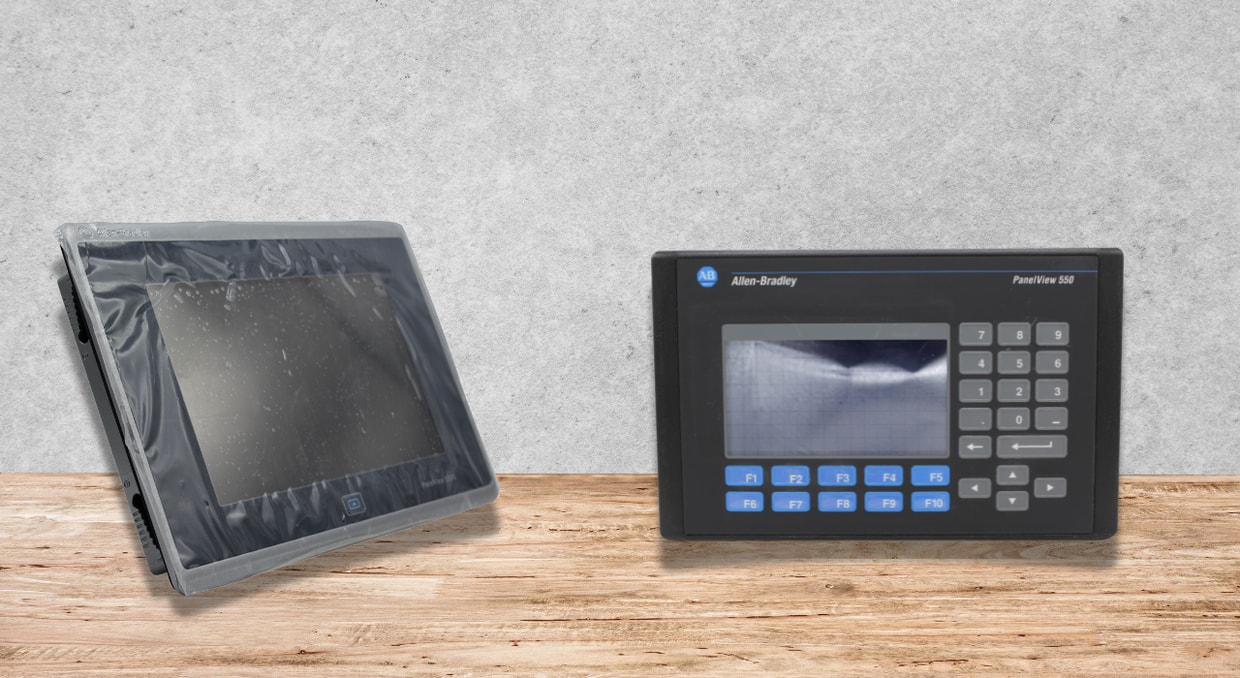
In industrial automation, few changes have been as apparent or as influential as the evolution of operator interfaces. What started as basic, rugged keypads mounted on control cabinets has grown into robust, networked solutions with dynamic touchscreen Human‑Machine Interfaces (HMIs). These interfaces, including well‑known platforms such as HMIs and PanelViews, have not only altered how operators interact with machines but also reshaped plant‑floor efficiency, safety, and the overall approach to process control.
The move from physical buttons to user‑friendly digital interfaces reflects broader tech trends. Nevertheless, industrial settings impose distinct limitations, severe conditions, safety mandates, a demand for uninterrupted operation, and a reluctance to modify mission‑critical systems. Consequently, HMIs and PanelViews have developed slowly but with a highly strategic approach. Now, the progression from keypads to touchscreens illustrates a broader narrative of digital transformation across manufacturing, utilities, oil and gas, and numerous other automation‑dependent industries.
This piece examines how industrial interfaces have evolved, what has propelled these shifts, and the future direction of HMI and PanelView technology.
The Age of Keypads
Before modern HMIs, industrial operator interfaces were primarily composed of physical buttons, switches, and numeric keypads. Early programmable logic controllers (PLCs) offered some flexibility, yet operators still engaged with machines in a largely mechanical fashion.
Primary Features of Early Keypad Interface
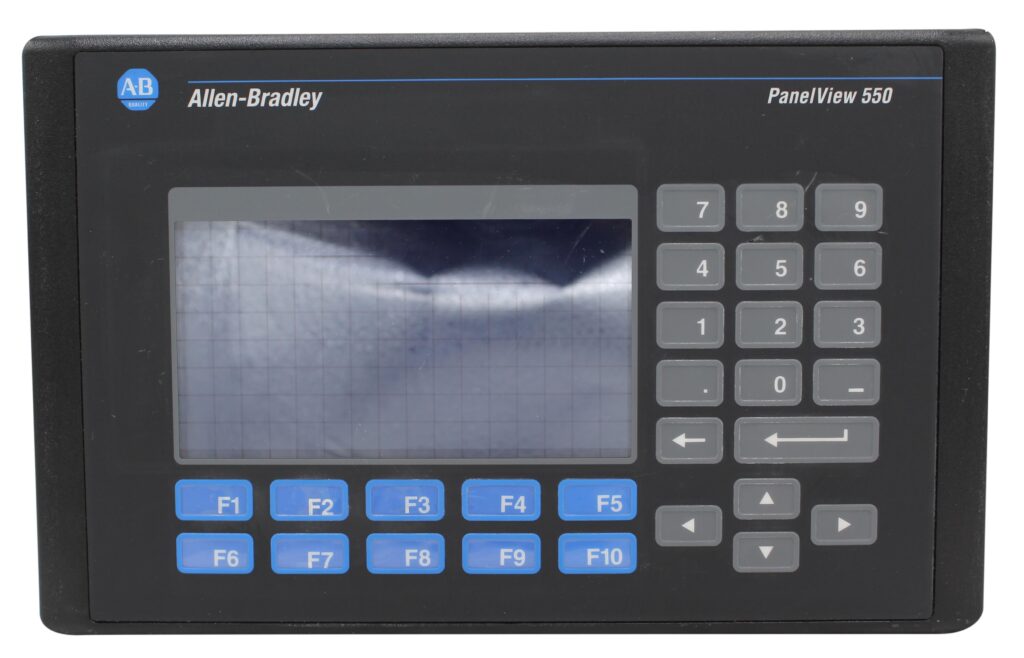
- Sturdy Build: Created to withstand dust, moisture, vibration, and extensive glove operation, keypads are constructed to endure extreme environments that would ruin ordinary electronics.
- Restricted Display Capabilities: Displays were tiny, black‑and‑white, or missing entirely. Users depended largely on status LEDs and simple alphanumeric screens.
- Operational Procedure: Operators needed thorough instruction to learn the series of button presses. Mistakes occurred frequently, particularly when several screens or functions were concealed behind key combos.
- Limited Integration: Communications between devices were restricted. Operators frequently needed to manually record data or physically examine equipment to gauge system conditions.
Despite these issues, keypad-driven interfaces have been the foundation of early industrial automation. They proved dependable, consistent, and extremely tolerant of harsh environmental conditions. However, as production requirements increased and the need for more flexibility intensified, physical buttons started to show their drawbacks.
Introducing Fundamental HMIs
As microprocessor technology advanced, rudimentary Human-Machine Interfaces began to adopt conventional keypads. These initial HMIs incorporated compact displays, typically LCD or monochrome, alongside function keys.
This period signaled the start of genuine visualization within industrial systems.
What did Early HMIs Enhance?
- Visual feedback: Operators are able to view equipment condition, alerts, and basic graphics.
- Reduced training load: Functions were labeled and visible.
- Process awareness:Visual components enhance troubleshooting and situational comprehension.
- Programmability: Engineers could tailor display layouts using configuration software instead of depending on static hardware designs.
Systems such as Rockwell Automation’s early PanelView terminals began appearing on factory floors during this shift. These initial HMIs and PanelViews sparked the idea of a uniform HMI programming software, enabling consistent machine design and simplifying upkeep.
Nevertheless, these HMIs still relied heavily on physical buttons surrounding the display, and their graphic capabilities were still modest. Yet the foundations of today’s interactive systems were being laid.
The Touchscreen Evolution
As touchscreen technology emerged, it brought about a significant transformation in industrial automation. This change brought a 180-degree turn in how the operators and, with the advancement of touchscreen technology, industrial HMIs and PanelViews underwent a dramatic transformation. Shifting from membrane-keypads and function‑button HMIs to full‑color touchscreen panels has altered how operators interact with equipment.
Why Touchscreens Have Become the New Standard
- User‑Friendly Interaction: Operators were able to tap icons, swipe across screens, and reach functions without having to remember button sequences. This greatly enhanced usability.
- Interactive Content: Engineers obtained the capability to revamp interfaces, incorporate visuals, or devise fresh navigation pathways without altering hardware.
- Live Diagnostics: Touchscreen HMIs might show graphs, color‑coded alarms, trends, and detailed messages.
- Network Unification: These modern HMIs are compatible with different industrial communication protocols like Ethernet/IP, SNMP, TCP, and many others. Therefore, they can easily share data across different VFDs, PLCs, controllers, and even various cloud platforms.
- Simplified Panel Structure: Rather than dozens of buttons and indicator lights, a single PanelView terminal could act as the whole operator interface.
The Benefits Powering Current HMI Adoption
As HMIs and PanelViews move forward, different industry trends facilitated their inclusivity:
A Need for Data-Driven Decision Making
Industrial processes now depend heavily on real‑time data. HMIs act as the principal view into:
- Output levels
- Alerts and downtime reasons
- Operational parameters
- Performance metrics
- Proactive maintenance trends
- Touchscreen HMIs process intricate information much more efficiently than traditional keypads.
Staff Adjustments
Newer workers joining the industry are used to smartphones and tablets. Touchscreen HMIs meet these expectations by reducing training time and improving retention.
Greater System Complexity
Modern machines are more interconnected and multifunctional. A single machine may perform dozens of automated tasks. HMIs and PanelViews simplify operation by presenting workflows visually.
Tailoring and Uniformity
Companies now develop uniform screen templates across production lines. This enhances uniformity and cuts engineering time.
Obstacles to HMIs and PanelViews Implementation
Even with their benefits, HMIs and PanelViews pose new challenges. Some of them are listed below:
- Ecological Hazards
- Touchscreens react more readily to:
- Severe temperatures
- Chemical contact
- Water penetration
- Even though industrial‑grade units are built to be durable, they still need to be selected carefully for each application.
Networked HMIs heighten the risk of:
- Illicit entry
- Malicious software
- Attacks targeting networks
- Contemporary HMIs incorporate firewalls, user authentication, encrypted services, and role‑based permissions to counter these threats.
- Expense and Transfer
Replacing legacy equipment, especially older keypad‑type or non‑networked HMIs, can be costly and may require alterations to PLC programs.
Intelligent HMIs and Contemporary PanelView Technology
Contemporary HMIs have progressed well beyond basic touchscreen displays. They serve as smart control and diagnostic centers. Essential Functions of Contemporary Intelligent HMIs are below:
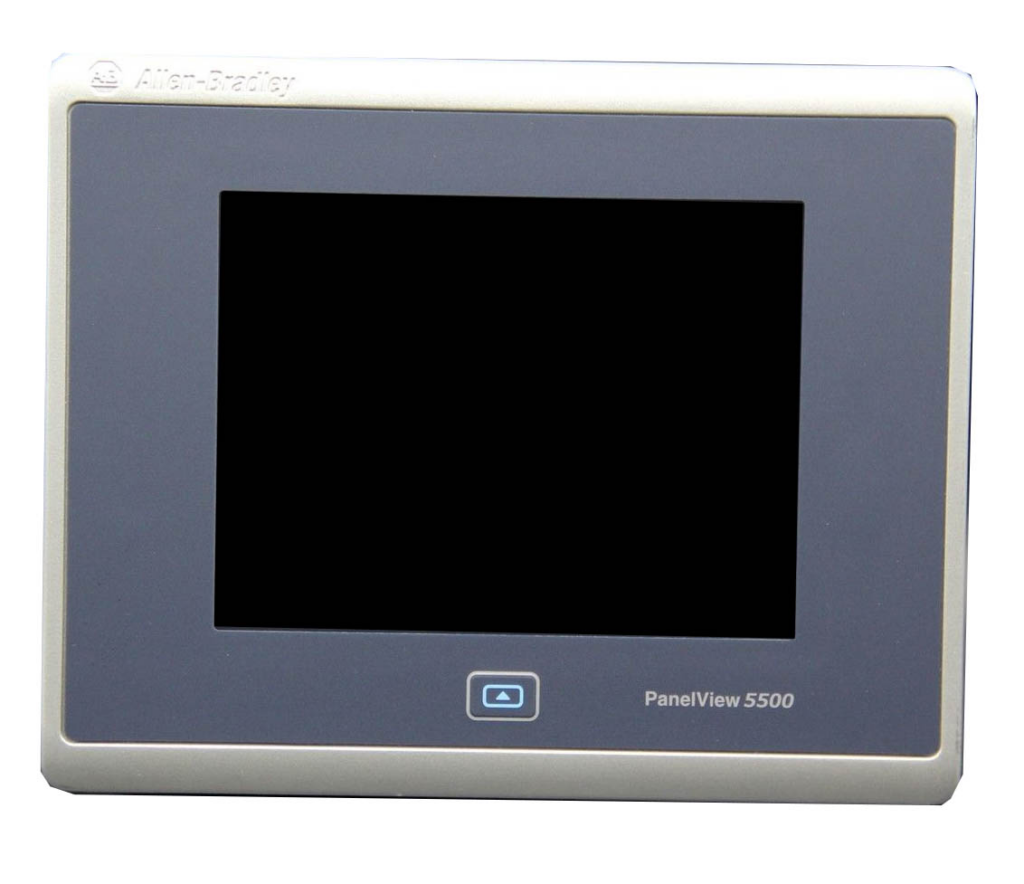
- High‑resolution graphics for enhanced clarity
- Multi‑touch gestures comparable to those on consumer devices
- Built‑in data historians for on‑device storage
- Remote connectivity through secure VPN or VNC utilities
- HTML5-driven interfaces for multi‑platform display
- Embedded PLC programming integration (as demonstrated in PanelView 5000 combined with Logix controllers)
- Sophisticated alert and incident management
- Elastic processing capacity for operating dashboards and analytics
What the future might hold
The developments in the field of graphic user interfaces have become a widely discussed topic worldwide, especially in countries that are trying to digitalize and automate their systems.
Augmented Reality for real-time visibility and Wearable Interaction Devices
Technicians and Engineers might use augmented reality glasses that project live machine data or maintenance instructions onto the hardware equipment, removing the need for fixed‑panel HMIs in some scenarios.
Speech-Operated Controls
With advances in voice recognition, automated controls that don’t require physical touch may increase safety in both risky and clean settings.
Flexible, AI-Powered HMIs
Upcoming HMIs could learn operator behavior, automatically flag anomalies, or modify layouts according to user roles.
Portable and Decentralized HMIs
Rather than using a single PanelView on a control cabinet, tablets or smartphones can serve as HMIs, enabling movement across the plant floor while preserving secure access.
Cloud-Enabled Interfaces
Trend reporting, predictive maintenance, and long‑term data storage are moving to cloud platforms.
Final Thoughts
In conclusion, the journey from keypads to HMIs and PanelViews is more than an industrial advancement; it marks a major shift in how people work with different machines. Those keypad-driven systems were dependable yet flexible from the start. When industry demanded higher efficiency, clearer results, and more adaptability, different HMIs and PanelViews answered the call, delivering user‑friendly interfaces that boost both productivity and safety. These touchscreens of today provide insights and usability in a relatively good way. As new technologies such as Artificial Intelligence and advanced connectivity reshape industrial automation, graphic user interfaces will continue to evolve, moving closer to seamless, intelligent, and adaptive machine interaction. The evolution of industrial interfaces tells a tale of advancement: moving from basic buttons to versatile digital ecosystems that enable operators, optimize processes, and shape the future of automation. Since this article has focused on PanelView as a whole, if you would like to see how it compares to its brother, the VersaView, we have an article here just for you!
If you are looking for a new PanelView HMI, or to upgrade or replace your existing one, then you have found the right place. We at DO Supply carry different models and generations of PanelView and offer repair services to fix your old, troubled example. We also offer a two-year warranty on both our repairs and the products we sell, so come stop by or give us a call today! As always, thank you for reading.
DO Supply Inc. makes no representations as to the completeness, validity, correctness, suitability, or accuracy of any information on this website and will not be liable for any delays, omissions, or errors in this information or any losses, injuries, or damages arising from its display or use. All the information on this website is provided on an "as-is" basis. It is the reader's responsibility to verify their own facts.