How Human-Machine Interfaces (HMIs) Improve Industrial Automation Processes
Human-Machine Interfaces (HMIs) are used to improve industrial automation processes by providing a visual interface for operators to interact with and monitor the automated system. HMIs can be used to display real-time process data, control system parameters, and issue commands to the automated system. One of the main benefits of using an HMI in industrial automation processes is that it allows operators to easily monitor and control the system without having to understand the underlying control logic or programming. This makes it easier for operators to perform tasks such as troubleshooting, adjusting process parameters, and monitoring performance. In addition to providing a convenient interface for operators, HMIs can also improve the efficiency and reliability of industrial automation processes by enabling operators to identify and address potential issues in real time. For example, suppose an HMI is used to display real-time process data. In that case, operators can quickly identify deviations from normal operating conditions and take corrective action before the issue becomes more serious. This guide will investigate the features and importance of HMIs in industrial automation processes.
History of HMIs
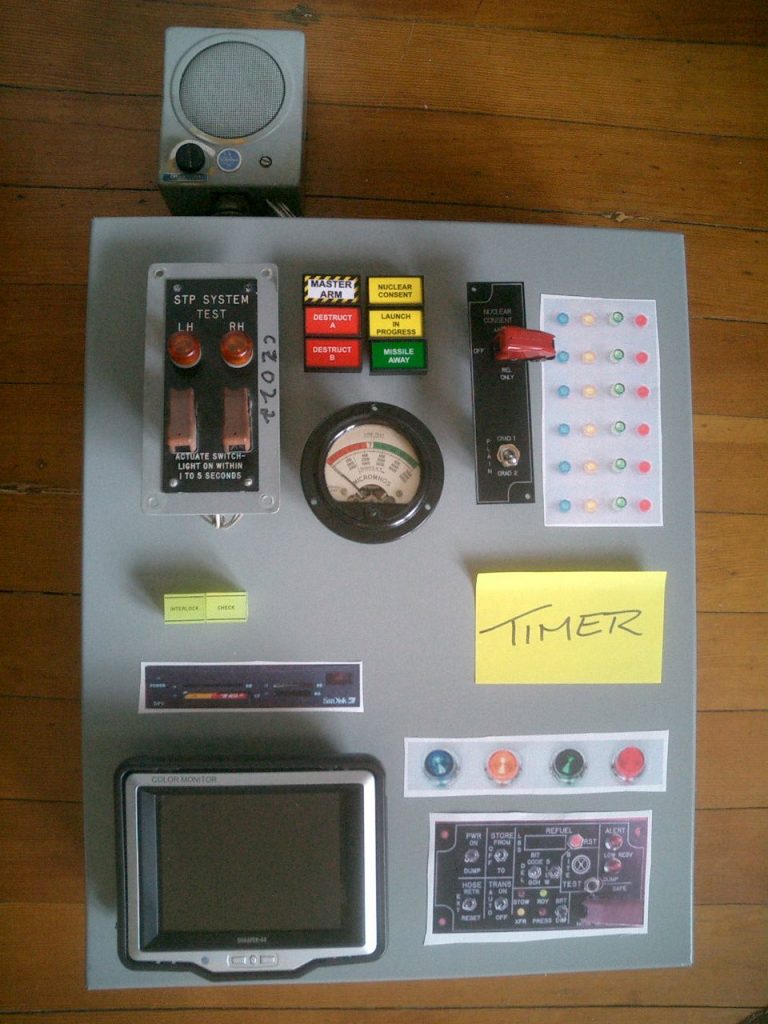
The concept of a human-machine interface (HMI) has a long history dating back to the early days of industrial automation. One of the earliest examples of an HMI was the control panel used to operate early steam engines, which allowed operators to monitor and control the various parameters of the engine, such as the steam pressure and valve timing.
As automation technology advanced, so did the complexity and capabilities of HMIs. In the 1960s and 1970s, the first computer-based HMIs were developed, which allowed operators to interact with automated systems using graphical user interfaces (GUIs) displayed on CRT screens.
In the 1980s and 1990s, HMIs began to incorporate more advanced features such as touch screens, color displays, and connectivity to other devices and systems. These innovations made it easier for operators to interact with automated systems and provided more flexibility and functionality for monitoring and controlling processes.
Today, HMIs come in a wide variety of forms, including touch screens, mobile devices, and even virtual reality interfaces. They are used in a wide range of industries, including manufacturing, process control, transportation, and more. As automation technology continues to evolve, HMIs will likely continue to play a central role in the interaction between humans and machines.
Attributes of an Industrial HMI
There are several key features that an industrial HMI should have to effectively support the interaction between operators and automated systems. Each feature improves various industrial automation processes in its own way.
- Graphical user interface: An HMI should have a clear and intuitive graphical user interface (GUI) that allows operators to interact with the system using buttons, icons, and other graphical elements.
- Real-time process data: An HMI should be able to display real-time process data, such as process variables, alarms, and performance metrics, using graphical elements such as charts, gauges, and trend lines.
- Control and automation: An HMI should provide operators with the ability to control and automate various aspects of the process, such as setting process parameters, issuing commands to equipment, and changing operating modes.
- Alarm management: An HMI should provide operators with the ability to monitor and manage alarms, including the ability to acknowledge and reset alarms, view alarm history, and identify the cause of an alarm.
- System integration: An HMI should be able to integrate with other systems and devices, such as control systems, sensors, and PLCs, to enable data exchange and interoperability.
- Security: An HMI should have appropriate security measures in place to protect against unauthorized access and prevent tampering with the system.
- Remote access: An HMI should have the ability to be accessed remotely using a device such as a smartphone or a tablet, allowing operators to monitor and control the system from any location.
- Recipe management: HMIs can be used to manage and execute recipes or process steps, allowing operators to easily switch between different products or processes.
- Customization: An HMI should have the ability to be customized to meet the specific needs of the process and the operator.
Overall, the features of an industrial HMI should be designed to enable operators to easily monitor and control the automated system while also providing the flexibility and functionality needed to support the specific needs of the process.
Operating an HMI
An HMI (Human-Machine Interface) is a visual interface that allows operators to interact with and monitor an automated system. The HMI typically consists of a display screen, such as a computer monitor or touch screen, and a set of input devices, such as buttons, knobs, or a keyboard.
To use an HMI, an operator simply interacts with the interface using the input devices to issue commands and view real-time process data. The HMI communicates with the automated system, either directly or through a control system, to execute the commands and retrieve the process data.
For example, an operator might use an HMI to set a process parameter, such as the temperature of a furnace, by entering a new value using a keyboard or touch screen. The HMI would then communicate with the automated system to adjust the temperature accordingly.
Beneficiaries of the HMI in the Industry
Human-Machine Interfaces (HMIs) are used by a wide range of individuals in a variety of industries. Some of the key groups of people who use HMIs include:
- Operators: Operators are responsible for interacting with and monitoring the automated system using the HMI. They use the HMI to control various aspects of the process, such as setting process parameters, issuing commands to equipment, and viewing real-time process data and alarms.
- Engineers: Engineers may use HMIs to design, configure, and maintain the automated system. They may use the HMI to access and modify control logic, troubleshoot issues, and perform system updates.
- Technicians: Technicians may use HMIs to perform maintenance tasks, such as calibrating sensors or replacing equipment. They may also use the HMI to troubleshoot issues and monitor the performance of the system.
- Managers: Managers may use HMIs to view real-time process data and performance metrics to make informed decisions about the operation of the system.
Overall, HMIs are used by a wide range of individuals who need to interact with and monitor automated systems in various industries, including manufacturing, process control, transportation, and more.
Different Types of HMI Screens
Several types of display screens can be used in Human-Machine Interfaces (HMIs), including:
- Computer monitors: Computer monitors are the most common type of display screen used in HMIs. They are typically mounted on a desk or control panel and use a desktop computer or embedded processor to display the HMI interface.
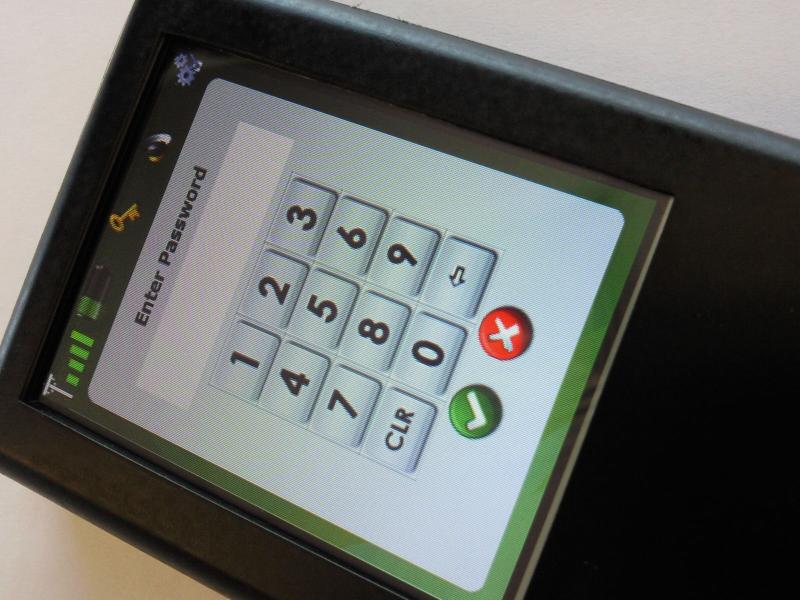
- Touch screens: Touch screens use a touch-sensitive display screen, allowing operators to interact with the HMI by touching buttons or icons on the screen. They are often used in applications where a traditional keyboard and mouse are not practical or where a more intuitive interface is desired.
- Mobile devices: Mobile devices, such as smartphones and tablets, can be used as HMIs by installing an HMI app or connecting to the HMI remotely using a web browser. Mobile HMIs are typically used in applications where the operator needs to be mobile, such as in a factory or on a construction site.
- Virtual reality screens: Virtual reality screens use virtual reality technology to provide a more immersive and interactive experience for operators. They are typically used in applications where a traditional HMI may not be practical or where a more realistic representation of the process is desired.
Selection Criteria of an HMI for Automation Needs
Human-machine interfaces (HMIs) are used to provide a visual interface between humans and industrial automation systems. They allow operators to monitor and control the process and provide important information about the system’s status. When selecting an HMI for an industrial automation process, there are several factors to consider:
- Compatibility with the automation system: The HMI should be compatible with the automation system, including the controllers and any other equipment being used.
- Display size and resolution: The size and resolution of the HMI’s display should be appropriate for the application. For example, a larger display may be necessary for a complex process with many variables, while a smaller display may be sufficient for a simpler process.
- User interface: The HMI’s user interface should be intuitive and easy to use, with clear graphics and displays that are easy to read and understand.
- Durability: The HMI should be durable and able to withstand the harsh conditions found in industrial environments.
- Connectivity: The HMI should have the necessary connectivity options, such as Ethernet and serial communication, to connect to the automation system and other equipment.
- Expandability: Consider whether the HMI can be easily expanded or modified as the automation system grows or changes.
- Cost: The HMI’s cost should be appropriate for the application and budget.
It is important to carefully evaluate the needs of the automation system and the requirements of the operators before selecting an HMI. Working with a reputable supplier or integrator can also help ensure that the appropriate HMI is chosen for the application.
Difference Between HMI and SCADA
Human-machine interfaces (HMIs) and supervisory control and data acquisition (SCADA) systems are both commonly used in industrial automation to monitor and control the process. However, they serve different purposes and have different capabilities.
HMIs are used to provide a visual interface between humans and the automation system. They allow operators to monitor the status of the process and control various aspects of the automation system, such as starting and stopping equipment, adjusting process variables, and viewing alarms or fault conditions. HMIs can also display real-time data from the automation system and manage alarms or fault conditions.
SCADA systems, on the other hand, are used to monitor and control remote industrial processes, such as those found in water treatment plants, power plants, and manufacturing facilities. SCADA systems typically have a central computer or server that is connected to a network of remote devices, such as sensors, actuators, and PLCs (programmable logic controllers). The central computer collects data from the remote devices and displays it on an HMI or other interface. SCADA systems also allow operators to control the process remotely and make adjustments as needed.
In short, HMIs are used to provide a visual interface between humans and the automation system, while SCADA systems are used to monitor and control remote industrial processes. HMIs are typically used in conjunction with automation systems, while SCADA systems are used to control and monitor a wide range of industrial processes.
Developing Trends in HMI Technology
There are several developing trends in HMI technology that are worth noting:
- Cloud-based HMIs: Some HMIs are being developed with cloud-based technology, which allows them to be accessed from any device with an internet connection. This allows operators to remotely monitor and control the automation system from a PC, tablet, or smartphone.
- Artificial intelligence (AI) and machine learning (ML): Some HMIs are being developed with AI and ML capabilities, which allow them to analyze data and make decisions or recommendations based on that data. For example, an HMI with AI capabilities might be able to predict when equipment is likely to fail and send an alert to maintenance personnel.
- Internet of Things (IoT) integration: Many HMIs are being developed with the ability to integrate with IoT devices and systems, allowing them to collect and analyze data from a wide range of sources. This can provide a more complete and accurate picture of the automation system and help operators make better-informed decisions.
- User experience (UX) design: Some HMIs are being developed with a focus on UX design, making them more intuitive and easier for operators to use. This can improve efficiency and reduce training time for new operators.
- Cybersecurity: As automation systems become more connected, cybersecurity is becoming increasingly important. HMIs are being developed with enhanced security measures to protect against cyber threats and unauthorized access.
Overall, these trends are aimed at improving the performance and usability of HMIs in industrial automation systems. Overall, the use of HMIs in industrial automation processes can improve efficiency, reliability, and ease of use for operators, making it a valuable tool for improving the performance of automated systems.
DO Supply Inc. makes no representations as to the completeness, validity, correctness, suitability, or accuracy of any information on this website and will not be liable for any delays, omissions, or errors in this information or any losses, injuries, or damages arising from its display or use. All the information on this website is provided on an "as-is" basis. It is the reader's responsibility to verify their own facts.