Protecting HMIs in Harsh Environments: Lessons from PanelView Installations
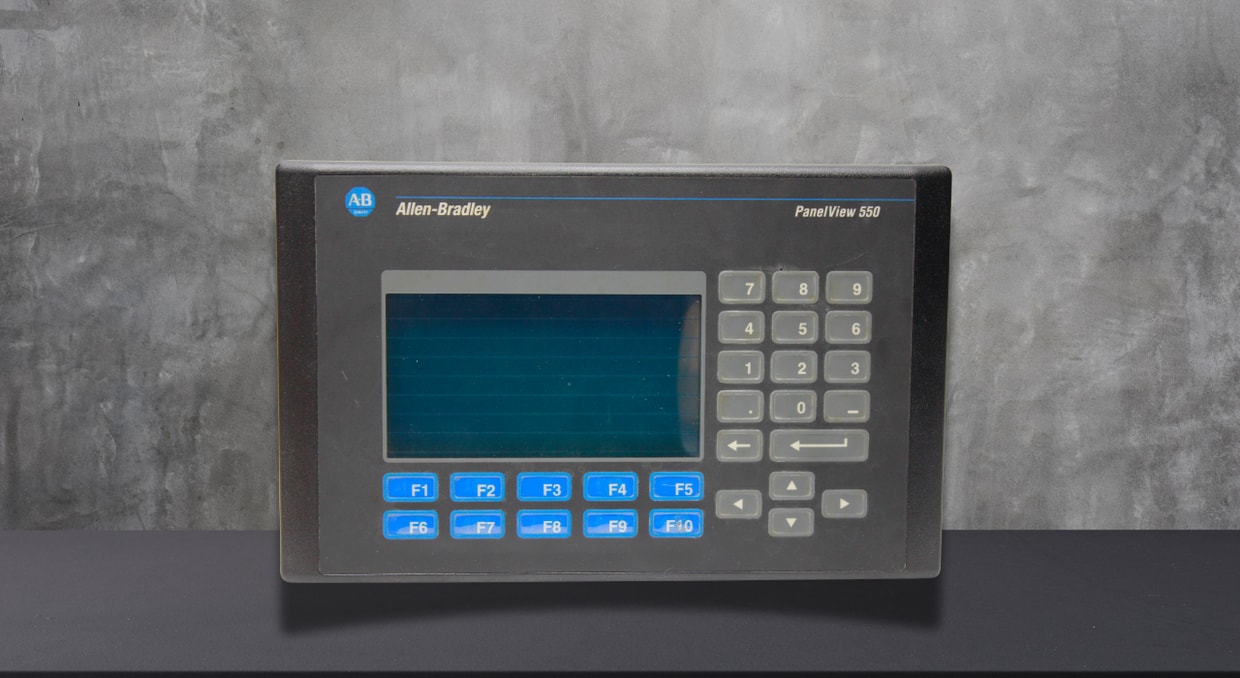
The technical and visual interaction between industrial processes and the operators who are working on them is provided by Human Machine Interfaces (HMIs). HMIs are crucial for maintaining productivity and process reliability because they provide real-time data, alerts, help in control, and diagnostics. However, HMIs always face issues that can significantly shorten their service life if they are not protected in harsh industrial environments, such as manufacturing plants, oil and gas facilities, fertilizer plants, mining sites, water-treatment plants, and outdoor installations.
Allen‑Bradley PanelView HMIs, commonly used in industrial automation, serve as a solid reference for understanding both the challenges and optimal approaches to HMI safety. PanelView deployments provide valuable insights into how environmental conditions affect HMIs and which design, installation, and maintenance strategies are most effective.
This article examines the environmental hazards affecting HMIs, typical failure patterns under severe conditions, and actionable insights from PanelView deployments to assist engineers, system integrators, and maintenance crews in securing HMIs.
Environmental Issues Influencing HMIs
Extreme Temperatures
Increased ambient temperatures may cause HMI screens to dim, reduce touchscreen sensitivity, and accelerate the wear of internal components. Conversely, colder temperatures can delay touchscreen response, cause LCD lag, and weaken solder connections due to thermal shrinkage. Observations from PanelView deployments indicate that HMIs placed close to furnaces or ovens, or within non‑ventilated enclosures, tend to fail early when heat dissipation is not adequately addressed.
Dampness
Moisture is among the most common causes of HMI malfunctions. High humidity may cause internal condensation within housings, leading to corrosion, short circuits, and touchscreen failures. Washdown settings in food and beverage facilities pose a particular difficulty. PanelView HMIs installed in stainless‑steel housings with proper gasketing and IP‑rated seals exhibit a markedly extended operational lifespan under these conditions.
Fine particles and Dust
Dust can block airflow pathways, retaining heat within the HMIs and polluting the machine’s internal parts. In sectors such as cement, fertilizers, mining, woodworking, or grain processing, airborne particles remain a persistent hazard. Field experience shows that even HMIs rated for industrial use can fail if dust ingress is ignored during enclosure design.
Exposure to Chemicals
Chemicals, oils, and cleaning agents can harm touchscreen overlays, display coatings, and enclosure seals. Over time, this exposure diminishes touchscreen precision and visual clarity. PanelView deployments in chemical facilities highlight the need to choose HMIs featuring chemically resistant screens and housings.
Oscillation and Mechanical Strain
Machinery‑mounted HMIs frequently endure constant vibration. Over time, vibration can loosen connectors, fracture solder joints, and harm displays. PanelView HMIs installed on separate panels rather than attached directly to vibrating equipment usually exhibit greater long‑term dependability.
Lessons from PanelView Installations
A key takeaway from PanelView installations is that HMIs aren’t appropriate for every setting. Here are some key points on protecting HMIs in harsh environments.
Industrial Assessments and Accreditations
When choosing HMIs, you need to take into account environmental ratings like:
- NEMA classifications (e.g., NEMA 4, 4X, 12)
- Ingress protection classifications (for instance, IP65, IP66)
- Operational temperature ranges
- Compliance with shock and vibration
PanelView Plus and PanelView 5000 HMIs can be obtained with specifications that make them suitable for harsh industrial environments, provided they are installed correctly in accordance with the manufacturer’s guidelines.
Screen Technology Aspects
Resistive touchscreens, widely used across numerous PanelView models, work consistently with gloves and in damp conditions. Capacitive displays, although they offer sharper visuals, may be less appropriate for harsh environments unless engineered specifically for industrial applications. Selecting the appropriate display technology is a crucial lesson derived from HMI failures observed in extreme environments.
Enclosure Design: An Essential Safeguard Layer
Appropriate Enclosure Choice
HMIs gain a significant advantage when mounted inside a well‑engineered enclosure. Experience with PanelView installations repeatedly underscores the importance of enclosure quality as a key contributor to system longevity.
Crucial enclosure factors include:
- Material (coated steel, stainless steel, or fiberglass)
- Eco‑rating aligned with site circumstances
- Resistance to corrosion
- Door seal and gasket quality
Stainless-steel enclosures are commonly used with PanelView HMIs in washdown and corrosive environments due to their durability.
Temperature Regulation
Enclosures may retain heat, particularly in hot environments. If cooling is insufficient, internal temperatures could exceed HMI specifications.
Typical thermal management approaches comprise:
- Natural ventilation with filters
- Thermal exchangers
- Cabinet air conditioners
- Sun shields for external installations
PanelView setups with adequate thermal design consistently experience fewer display and touchscreen malfunctions.
Sealing and Gasket Assembly
Ensuring a tight seal between the HMI and enclosure is crucial. Even a tiny opening can permit moisture to enter during washdowns or in high-humidity conditions.
PanelView HMIs feature a sealed front panel, yet practical experience indicates that precise tightening torque and gasket inspection are essential to maintaining the seal.
Moisture Management
Moisture buildup commonly results from temperature variations. To counter this, installers often utilize:
- Moisture‑absorbing packets
- Air vent drains
- Ventilation is regulated by humidity
PanelView installations in outdoor or coastal environments benefit greatly from these measures.
Energy Conditioning
Fluctuating power sources may harm HMI components. In industrial environments, voltage surges, brownouts, and electrical interference are frequent.
Key takeaways highlight the significance of:
- Specific power units for HMIs
- Transient voltage suppressors
- Adequate grounding and bonding
- Separation from high‑power loads
Vibration Damping
HMIs must be installed on solid panels or enclosures, not directly on vibrating equipment. If unavoidable, employ vibration‑damping mounts or isolation pads.
Field experience with PanelView HMIs confirms that proper mounting significantly reduces mechanical-related failures.
Usability and Human‑Centric Design
Rugged settings frequently lure designers to install HMIs wherever there is room. Nevertheless, inadequate accessibility may cause unintended damage and incorrect use.
PanelView setups that take operator ergonomics into account usually have fewer screen cracks and touch malfunctions.
Examination Procedures
Regular Visual Checks
Routine checks enable the detection of initial wear indicators, such as:
- Broken seals
- Condensation behind the screen
- Touchscreen failure to respond
- Unsecured mounting components
Including PanelView HMIs in regular maintenance schedules greatly enhances their performance.
Guidelines for Best Cleaning
Using unsuitable cleaning solutions may harm HMI screens. Manufacturers advise particular cleaning techniques, generally using gentle detergents and non‑abrasive cloths. Field observations reveal that inadequate cleaning is a surprisingly frequent factor in touchscreen wear.
Software and Operational Factors
Although physical protection is crucial, software design also affects HMI longevity. You should avoid using overly high screen brightness, which speeds up backlight wear. Also, activate screen savers or dim the display during periods of inactivity. Develop interfaces that reduce unnecessary touch interactions.
Employ Alarm Management to Curb Persistent Screen Activity
PanelView installations with well-designed HMI applications typically preserve display quality longer than those with poorly optimized graphics.
Important Takeaways from PanelView Installations
From decades of industrial application, several consistent insights arise:
- HMIs are only as dependable as the conditions of their installation environment permit.
- In severe environments, safeguarding the environment iis a necessity.
- Appropriate enclosure design greatly lengthens the HMI’s service life.
- Thermal and moisture control are essential for display reliability.
- Electrical protection averts numerous unexplained HMI malfunctions.
- Maintenance methods have a direct impact on long‑term performance.
- Observing the manufacturer’s recommendations results in quantifiable reliability gains.
PanelView HMIs, when set up properly and adequately shielded, have demonstrated the ability to provide many years of dependable performance even in harsh industrial settings.
Final Thoughts
In conclusion, a comprehensive approach that combines appropriate product selection, enclosure protection, environmental shielding, electrical protection, and methodical maintenance is required to ensure HMIs operate at their best in harsh environments. PanelView deployment makes it very evident that environmental stresses that might have been mitigated with proper planning, rather than design flaws, are the primary cause of most HMI issues. Investing time and money in HMI security is not only advisable but also necessary as industrial systems operate in increasingly challenging environments. Automation companies can maintain HMIs’ dependability, clarity, and responsiveness by leveraging these insights, ensuring their long-term, safe, and effective operation.
Sourcing PanelView HMIs has never been easier! We at DO Supply carry hundreds of different PanelView and VersaView HMIs that are capable of handling most industries you can fit them in, with proper installation as we just discussed. Come visit our site and browse our wide selection of HMIs that are ready to ship same day. If that’s not good enough, every product also comes with our two year warranty to keep you covered. We also have a blog going over PanelView maintenance tips to extend its life here.
DO Supply Inc. makes no representations as to the completeness, validity, correctness, suitability, or accuracy of any information on this website and will not be liable for any delays, omissions, or errors in this information or any losses, injuries, or damages arising from its display or use. All the information on this website is provided on an "as-is" basis. It is the reader's responsibility to verify their own facts.