Getting the Most Out of Your SMC Dialog Plus: Setup, Tips, and Tricks
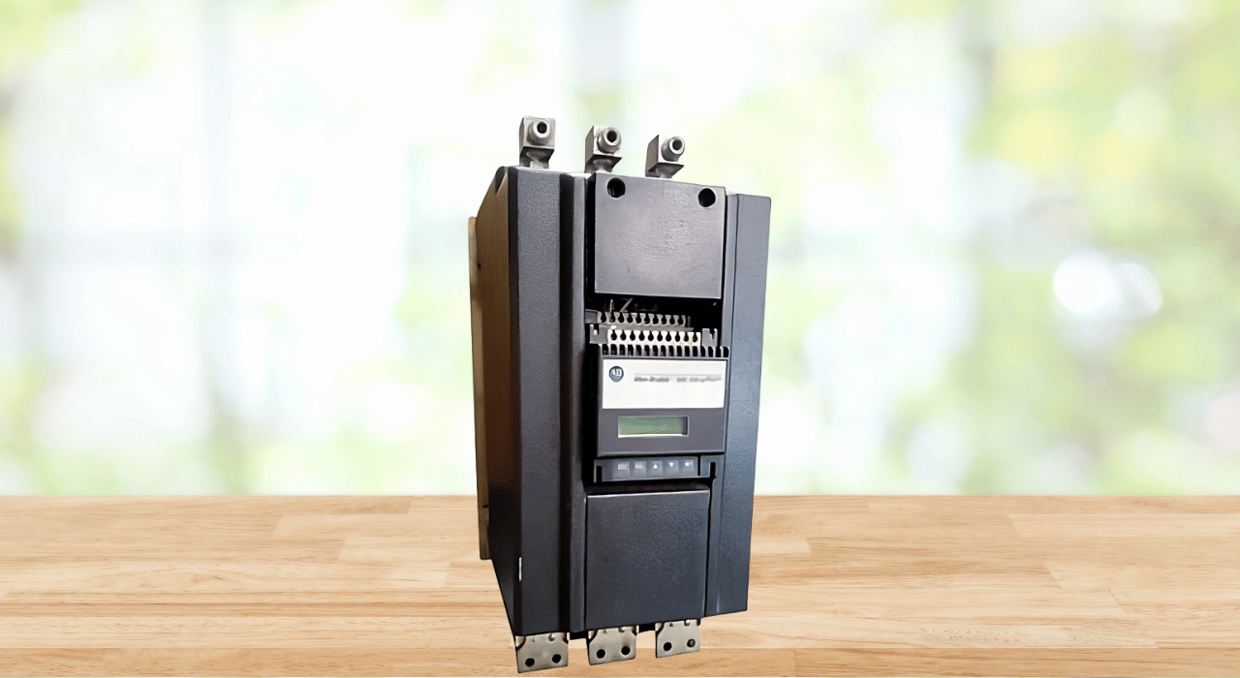
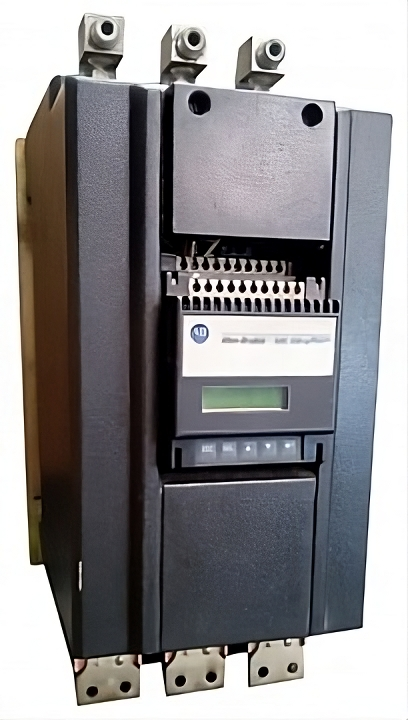
The Allen-Bradley SMC Dialog Plus is an advanced, microprocessor-controlled soft starter designed to monitor, control, and protect three-phase, squirrel-cage AC induction motors with current ratings in the range of 1 to 1000 A(Amperes) and AC input voltage ratings of 200 to 600V at 50 or 60 Hertz. It is essentially a simple and cost-effective motor control solution that’s intended to offer higher productivity, shorter system downtimes, and help minimize costs by reducing wear & tear on equipment as well as the overall system power requirements.
SMC Dialog Plus Overview
Each SMC Dialog Plus motor controller is available with the following modes of operation as standard:
- Soft Start Mode: In this mode, the torque of the connected AC induction motor is set to a specific initial value, which is user-modifiable from 0 to 90% of the recommended locked-rotor torque. From the initial torque setting, the output voltage of the SMC Dialog Plus controller to the motor is continuously increased throughout the acceleration ramp period. Users can adjust the acceleration ramp time from 0 to 30 seconds to allow for a soft motor start. If the controller senses that the motor has attained the required up-to-speed state, it automatically switches its output voltage to full voltage.
- Current Limit Start: This mode enables a steady reduced-voltage motor startup. It is intended for applications where it’s necessary to regulate the maximum starting current of an AC induction motor. During the Current Limit Start, the SMC Dialog Plus controller will automatically switch the output voltage to full voltage if it detects that the motor has achieved the required up-to-speed state. Users can adjust the current limit level from 50% to 600% of the rated full-load amperes and the current limit duration from 0 to 30 seconds.
- Selectable Kickstart: This feature is available with both Soft Start and Current Limit Start modes. It is designed to provide a current pulse that’s 550% of the rated full-load motor current at the onset of the voltage ramp operation. The provided current boost helps break away motor loads that require a high torque pulse at startup. Users can adjust the kickstart duration from 0.0 to 2.0 seconds.
- Dual Ramp Start: It provides users with the option to choose between two distinct Soft Start control profiles with independently adjustable initial torque settings and acceleration ramp times. The ramp times are user-adjustable from 0 to 30 seconds while the initial torque values can be modified from 0% to 90% of the locked-rotor torque. Dual Ramp Start is ideal for applications with fluctuating loads that require variable starting torque.
- Full Voltage Start: This starting mode provides an acceleration ramp time that’s less than 1/4 of a second. As such, the controller’s output voltage to the connected motor reaches full voltage in a span of 1/4 second. It is well suited for applications that require direct-on-line starting of 3-phase AC induction motors.
Standard Features
The following features are provided as standard in all SMC Dialog Plus controller models:
- Built-in Serial Communication: The controllers include one serial interface port (referred to as SCANport) that allows for connection to an optional Bulletin 1201 HIM (Human Interface Module) and a variety of Allen-Bradley Bulletin 1203 communication cards (such as RS-485/422/232-DF1, DeviceNet, and Remote I/O modules).
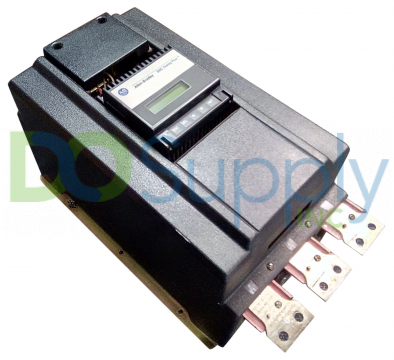
- Integral LCD Display: A sixteen-character, two-line backlit LCD display that enables easy parameter identification using clear, accurate, and informative text.
- Five-Button Front Keypad: Programming of parameters in the SMC Dialog Plus controller is accomplished through this keypad. The five buttons of the keypad include:
- Escape key– used to move up the programming system one level up the controller’s menu structure.
- Select key – used to activate the bottom or top line of the LCD display alternately and move the cursor from the least significant to the most significant digit in parameter modification.
- Up/Down Arrows – for incrementing or decrementing a parameter value or scrolling through the different parameters, groups, and modes.
- Enter Key – used to save a parameter value, group, or mode into the controller’s memory.
- Programmable Hard Contacts: The SMC Dialog Plus includes three hard contact outputs that are fully programmable. The first two outputs are Form C and can be programmed for Up-to-speed or Normal operation. While the third contact is user-programmable as Fault/Normal.
- Energy Saver: When enabled, this feature allows the SMC Dialog Plus to steadily monitor the connected motor load using its embedded feedback circuitry. It’s primarily used to save energy in cases where the induction motor in use is unloaded or moderately loaded for lengthy periods.
- Phase Rebalance: When activated, this dynamic feature enables the SMC Dialog Plus to compensate for voltage unbalance by continually monitoring the input 3-phase line voltage and automatically adjusting the output voltage to the connected motor to balance currents being drawn by the motor. Its performance depends on the loading and characteristics of the connected motor, and it cannot correct severe voltage imbalances.
- Underload Protection: Utilizing this feature, the SMC Dialog Plus can halt motor operation if an abrupt drop in current draw is detected.
- Overload Protection: The SMC Dialog Plus provides overload protection to the connected motor using a built-in electronic overload algorithm.
- Stall Protection: This feature allows for enhanced system and motor protection. Users can adjust the stall protection delay period from 0.0 to 10.0 seconds.
- Undervoltage Protection: With this protective feature, the SMC Dialog Plus can halt motor operation if an abrupt drop in the incoming supply voltage is noted.
- Jam Detection: The feature enables users to specify the jam trip level to a maximum of 999% of the motor’s full-load ampere rating. To allow application flexibility and avoid nuisance tripping, users can adjust the jam detection delay period from 0.0 to 10.0 seconds.
- Metering: In addition to operating the connected motor, the SMC Dialog Plus controller also monitors a variety of parameters, providing a fully functional metering package. Power metering parameters in the SMC Dialog Plus include: three-phase current and voltage, power in kilowatts (kW), thermal capacity usage, power consumption in kilowatt-hour (kWh), elapsed time, and power factor.
- Voltage Unbalance Protection: When enabled, this feature allows the SMC Dialog Plus to monitor the incoming three-phase supply voltage and halt motor operation if the user-programmed voltage unbalance trip level is reached. This trip level is user-adjustable from 0% to 25% voltage unbalance with a delay period of up to 99 seconds.
Optional Features
The SMC Dialog Plus offers a full range of mutually exclusive control options that provide outstanding motor starting & stopping capabilities. The options include:
- Soft Stop Option: It provides a lengthy coast-to-rest to reduce load shifting.
- Pump Control: It is intended to help reduce fluid surges during the stopping & starting of centrifugal pumps by providing smooth motor acceleration & deceleration.
- Preset Slow Speed: This control option is useful in material positioning applications that require a slow-speed jog.
- Smart Motor Braking: It provides microprocessor-based motor braking without the need for additional hardware such as braking resistors, timers, speed sensors, and contactors. Ideal for applications that require minimal stopping times.
- Accu-Stop: It offers a brake from the rated full speed to the user-programmed slow speed setting, after which it brakes the motor to stop. It’s appropriate for general-purpose positioning applications.
SMC Dialog Plus Setup
SMC Dialog Plus setup is straightforward with the built-in five-button keypad and 16-character, two-line backlit LCD. Also, the controller’s setup parameters are organized in a 4-level menu structure using a clear and instructive text format. They are then divided into basic or advanced programming groups for f access. This allows users to perform controller setup quickly and easily even without a reference manual. The SMC Dialog Plus motor controller can also be configured using the optional Bulletin 1201 HIM.
Basic Setup
This programming group provides a small number of parameters for basic controller set up. It allows quick start-up of the SMC Dialog Plus motor controller with minimal parameter adjustments. The parameters that can be configured in Basic Setup are:
- Starting Mode: This parameter lets the user program the SMC Dialog Plus for the type of starting mode that’s ideal for the application.
- Initial Torque #1: It allows users to adjust the value of the initial voltage output to the connected motor during voltage ramp. To obtain access to this parameter, the starting mode of the SMC Dialog Plus must be programmed to Soft Start.
- Ramp Time #1: It sets the output voltage ramp time period from 0 to 30 seconds.
- Current Limit Level: It allows adjusting of the reduced output voltage amount being provided to the connected induction motor, from 50% to 600% of full-load amps.
- Kickstart Time: This parameter provides a current boost of 550% of full-load ampere rating to the connected motor for the user-programmed kickstart period, usually 0 to 2 seconds.
- Stall Delay: It enables users to adjust the stall protection delay period from 0 to 10 seconds. The delay time does not begin until the start time expires.
- Energy Saver: This parameter is either ON or OFF. When enabled, it allows the SMC Dialog Plus controller to monitor the applied motor load and phase back the voltage output to the connected motor in light-load or no-load conditions.
- Aux Contacts 1 & 2: These parameters allow users to configure the operation of the first two Form C contacts.
- Aux Contact 3: It lets users program the operation of the third auxiliary contact.
- Parameter Mgmt: It provides several options for managing the programmed parameter values. These include: “Ready”, “Store In EE”, “Default Init.”, “Frm EE”, and “Recll”.
Advanced Setup
While the Basic Setup programming group allows for quick start-up of the SMC Dialog Plus controller with just a small number of parameters to adjust, the Advanced Setup programming group grants full access to the powerful parameter set of the SMC Dialog Plus. Listed below are some of the additional parameters provided in Advanced Setup:
- Dual Ramp: This parameter is either ON or OFF. It provides users with the option to select between two profiles of the Soft Start mode.
- Ramp Time #2: It lets the user establish the soft start duration for the second voltage ramp if the Dual Ramp feature is enabled. Ramp time can be programmed from 0.0 to 30.0 seconds.
- Initial Torque #2: It allows users to specify the initial torque value for the second voltage ramp when the Dual Ramp feature is enabled.
- Undervoltage Level: It establishes the undervoltage trip level as a percent of the incoming line voltage, 0 to 99% (with 0 representing the Off setting).
- Undervoltage Delay: It provides a 0.0 to 99.0 seconds delay period before the occurrence of an undervoltage trip.
- Jam Level: It lets users specify thejam trip level as a percentage of full-load ampere rating of the connected motor, 0 to 999% (with 0 representing the Off setting).
- Unbalance Level: Determines the voltage unbalance trip level from 0% to 25% (with 0 representing the Off setting).
- Rebalance: This parameter allows users to access the Phase Rebalance feature of the SMC Dialog Plus.
- Underload Delay: It provides a 0.0 to 99.0 seconds delay period prior to the occurrence of an underload a trip.
- Phase Reversal: It allows users to enable or disable phase reversal protection.
- ETM Reset: It lets users reset the accrued value of the metered elapsed time.
- Restart Attempts: Establishes the number of attempts (0 to 5) the SMC Dialog Plus controller can automatically restart the connected motor after a fault condition.
- Starts Per Hour: The parameter lets users limit the number of controller starts within a period of one hour, 0 to 99 starts (with 0 being the Off setting).
Note: If you are planning to implement advanced motor control features (such as Phase Rebalance, Undervoltage Protection, Dual Ramp Start, Overload Protection, etc.), you should select Advanced Setup. The Advanced Setup programming group provides all the parameters in Basic Setup in addition to the advanced set parameters listed above.
Saving Programmed Parameter Values
The newly programmed parameter values should be saved to the controller’s memory, failure to which the factory default settings will be recalled. To save the parameters, follow these steps:
- Scroll to Parameter Management (always displayed as “Parameter Mgmt”): It is usually provided as the last parameter in the Advanced Setup and Basic Setup programming groups.
- Select “Store In EE”
- Press the “Enter key” on the keypad
On doing so, the newly programmed parameter values will be stored to the EEPROM of the SMC Dialog Plus controller.
Tips and Tricks
Listed below are some tips and tricks on proper operation, troubleshooting, and maintenance of the Allen-Bradley SMC Dialog Plus motor controllers:
- You can only connect one peripheral device to the SMC Dialog Plus SCANport. The recommended maximum output current through this serial port is 100 mA (milliamps).
- The SMC Dialog Plus overload protection feature comes disabled as the factory default setting. This requires users to program an appropriate overload trip class and the motor’s full-load ampere rating to attain proper protection.
- Using a bypass contactor with the SMC Dialog Plus controller deactivates the controller’s Energy Saver feature. The Phase Rebalance feature is also inactive during bypass operation.
- If both the Phase Rebalance and Energy Saver features are enabled, the Phase Rebalance will take priority in operation.
- The voltage unbalance, overvoltage, and undervoltage protective features in the SMC Dialog Plus are inactive during braking operation. While the underload feature is disabled during both braking and slow speed operations.
- Depending on the selected catalog number, the SMC Dialog Plus motor controller can accept either of these input control voltages:
- Single-phase 100 to 240V AC, (+10% or –15), at 60/50 Hz. In this case, the controller’s microprocessor self-adjusts to the applied control power input.
- Single-phase 24V AC, (+10% or –15), at 60/50 Hz
- 24V DC, (+10% or –20)
- Refer to the nameplate of the purchased SMC Dialog Plus controller to determine the required input control voltage. For example, SMC Dialog Plus controllers with a current rating of 97 to 1000A will need additional control power for their heatsink fans. While some specific applications will require additional VA capacity for the control circuit transformer.
- If control power is removed from the SMC Dialog Plus controller before new parameter values are stored to memory, all the newly programmed parameter settings will be lost.
- Soft Stop, Smart Motor Braking, and Pump Control options are not designed to be used as emergency stops.
- The pump stopping option is likely to cause motor overheating, though this depends on the mechanical dynamics of your centrifugal pumping system. Selecting the lowest stopping time that will adequately stop the pumping system is thus advisable.
- You can upgrade an existing SMC Dialog Plus controller to a different control option by replacing its current control module.
- Refer to your controller’s nameplate for power wiring information including:
- Lug wire capacity
- Required tightening torque
- Lug kit requirements for 97 to 1000A catalog numbers
Final Thoughts
There are a lot of different configurations and ways to use the SMC Dialog Plus. It’s a very versatile controller jam packed with features and options. It’s also a controller that we carry here at DO Supply. Stop on by our site today to secure one for yourself or to see the different options for controllers and drives that we carry. Our support line is ready for any special orders or for general help as to what drive would suit your needs the best. We also offer a repair service to fix broken or malfunctioning drives, all with our two year warranty to back up our work.
DO Supply Inc. makes no representations as to the completeness, validity, correctness, suitability, or accuracy of any information on this website and will not be liable for any delays, omissions, or errors in this information or any losses, injuries, or damages arising from its display or use. All the information on this website is provided on an "as-is" basis. It is the reader's responsibility to verify their own facts.