MicroLogix Selection Guide: Compact Control Options for OEM and Small Machine Designs
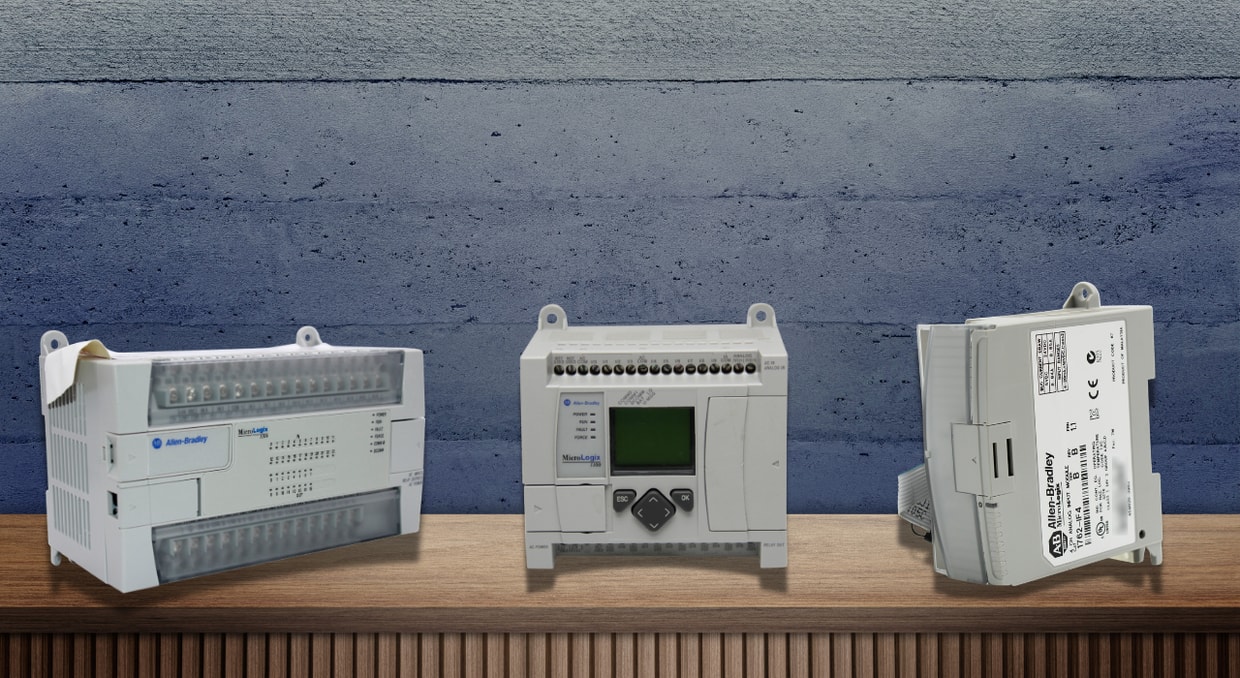
The MicroLogix controller series really hits that sweet spot for folks who need reliable automation in tight spaces, without blowing the budget. You’ve got five different models to pick from, each one tailored for different levels of complexity, but they all play nicely when it comes to programming. If you’re designing machines or building equipment, knowing the differences between these controllers isn’t just trivia—it shapes what you spend, how easily you can grow your system, and how much hassle you’ll deal with years down the line.
MicroLogix 1000
Think of the MicroLogix 1000 as the no-nonsense starter in this lineup. It gives you the SLC 500 instruction set, but in a small, affordable package—perfect if you’re cranking out lots of the same machine and need solid, basic control. It’s quick on its feet, too, so it fits well in fast-moving jobs like sorting or packaging. You can get it with 10, 16, or 32 digital inputs and outputs, and some versions throw in analog I/O as well. Those models step it up with 20 digital points, four analog inputs (two for voltage, two for current), and a flexible analog output. Having all that on board means less waiting around for signals to move through separate modules, and you save some cash, too.
The 1000 comes with 1 KB of fixed memory, already split up for your program and data, which makes setup less of a headache. It can blitz through a 500-instruction program in about 1.5 milliseconds, so it doesn’t slow you down. There’s built-in EEPROM, so your ladder logic sticks around even if the power cuts out, no battery required. Plug it straight into a PC with the RS-232 port or set it up for networked master/slave jobs. Need to talk to DeviceNet or EtherNet/IP? Just add the right external module. If you go for the DC-input model, you also get a speedy 6.6 kHz counter and input filters you can tweak. Of course, it’s certified for all the usual safety and industrial standards.
MicroLogix 1100
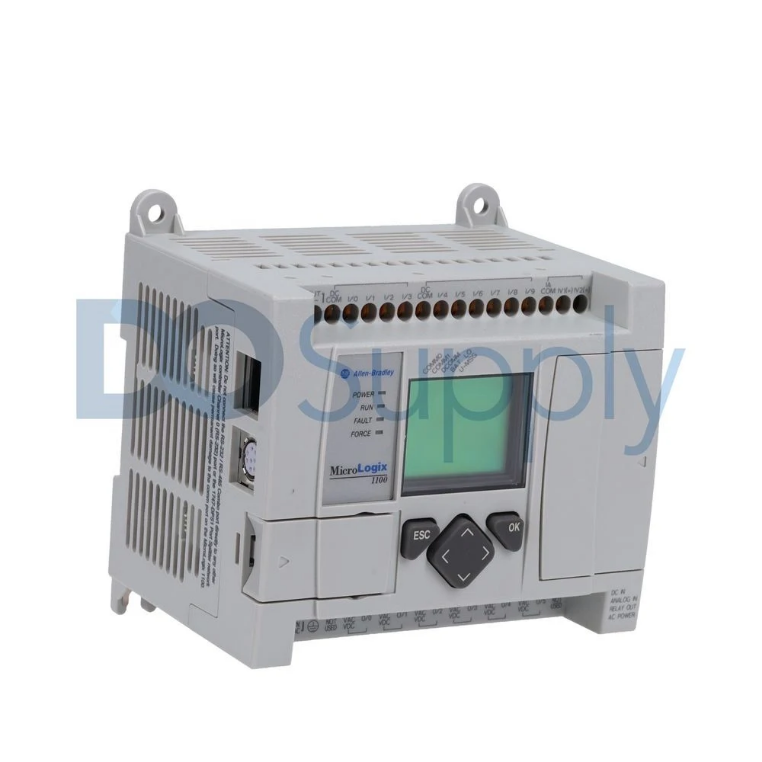
The MicroLogix 1100 takes things further. It adds built-in analog I/O, Ethernet, and even an LCD interface, so you can see what’s going on right at the controller. If your project needs up to 80 digital I/O points and solid networking, this one’s a strong option. You get 8 KB of memory, half for your program, half for your data, and you can edit programs and tune PIDs while everything’s running. No downtime, no lost production. There’s a three-way switch on the front so you can flip between Run, Remote, and Program modes without plugging in a computer. For anyone managing batches or tracking events, the controller offers 128 KB for logging and up to 64 KB to store recipes. That makes it a lot easier to troubleshoot or switch between product setups.
The controller supports up to four 1762 expansion I/O modules. Embedded I/O includes 10 digital inputs, six digital outputs, and two 0-10V DC analog inputs (10-bit resolution). Four high-speed inputs can function as latching inputs, event interrupts, or a single 40 kHz high-speed counter. Select models feature two 40 kHz high-speed outputs configurable as PTO or PWM. Communication is a key strength. Channel 0 is an isolated RS-232/RS-485 port supporting DF1, DH-485, ASCII, and Modbus RTU. Channel 1 is an RJ45 Ethernet port for 10/100 Mbps EtherNet/IP messaging. A communication toggle function aids troubleshooting. The embedded LCD can display controller data and IP addresses. Other features include a real-time clock, a web server with email, floating-point math, and built-in PID control.
MicroLogix 1200
The MicroLogix 1200 sits just above the 1000 in the lineup. It packs more power and additional features while staying compact. You can update its flash memory in the field, so you’re never stuck with old firmware. You get 6 KB of memory in total: 4 KB for programs and 2 KB for data. It comes in both 24 and 40-point versions, and you can add up to six expansion modules. If you go with the DC-input models, you get four high-speed counters (20 kHz) with eight modes, plus a 20 kHz high-speed output for PTO or PWM.
The 1200 handles all the protocols the 1000 does, plus DF1 half-duplex master, Modbus master/slave, and ASCII read/write. Some versions have a second port for programming or HMIs, and there’s a handy communication toggle button. You can add extras like a real-time clock, a removable memory module, or data file download protection. Analog trim pots, 32-bit and floating-point math, plus PID control, all come standard. On the 40-point units, terminal blocks are removable, making pre-wiring much easier.
MicroLogix 1400
The MicroLogix 1400 is the newest in the family and really steps things up. It’s got faster I/O, way more memory, and three communication ports. This one jumps to 20 KB of memory: 10 KB for programs and 10 KB for data. It supports up to seven expansion modules, so you can reach 144 digital I/O points if needed. Out of the box, you get 20 digital inputs and 12 digital outputs, and in some models, four 12-bit analog inputs and two 12-bit analog outputs are included.
High-speed? No problem. There are twelve high-speed inputs that can act as three 100 kHz counters, with ten different modes. For outputs, you get three that you can set up as 100 kHz PTO or 40 kHz PWM. Communication is flexible here. There’s an isolated RS-232/RS-485 port (Channel 0), a 10/100 Mbps Ethernet port (Channel 1) for EtherNet/IP, and another RS-232 port (Channel 2). It even supports DNP3 slave protocol now. The built-in LCD makes it easier to view data, configure IP addresses, or even show your own OEM logo. Features like data logging, recipe storage, and a real-time clock all carry over from the 1100, but with more capacity.
MicroLogix 1500
The MicroLogix 1500 takes a modular approach, splitting the processor and base so you can swap them out separately or mix and match to fit your needs. It’s a solid choice for jobs that used to demand bigger PLCs. The processor slides right into the base, making a compact package. You can mix processors and bases however you want, which helps with inventory. Expansion is easy—use Bulletin 1769 Compact I/O modules, up to 16 with an extra bank and power supply. All bases and I/O modules have removable terminal blocks for easy pre-wiring.
There are two processor options. The 1764-LSP gives you 7 KB of memory (3.65 KB for the program), while the 1764-LRP doubles that to 14 KB (10 KB for the program). The LRP version also adds 48 KB of data logging and an extra isolated RS-232 port for network connections. DC-input models feature eight high-speed inputs (two 20 kHz counters), and DC outputs provide two 20 kHz high-speed outputs for PTO or PWM. For hands-on monitoring and tweaks, you can add the 1764-DAT data access tool. Battery backup keeps your programs and data safe.
Selection Criteria for OEM Applications
Application Complexity Assessment
If you need simple, discrete control with few analog features or networking, go with the MicroLogix 1000, as it keeps costs down. If your setup needs occasional operator input or you want Ethernet, the MicroLogix 1100 fits the bill. But when you start dealing with different communication protocols or need to handle ASCII strings, you’ll want the MicroLogix 1200 for its flexibility. If you would like a more detailed breakdown of where these controllers fit today, we have an article here for you.
High-Speed Requirements
If you’re working with fast counting, positioning, or pulse outputs, you have to pay attention to frequency. The MicroLogix 1000 handles counting up to 6.6 kHz. With the MicroLogix 1200 and 1500, you get up to 20 kHz for both counting and outputs. For tougher motion tasks, the MicroLogix 1400 pushes things further, offering 100 kHz for both counting and outputs.
Expansion and Future Growth
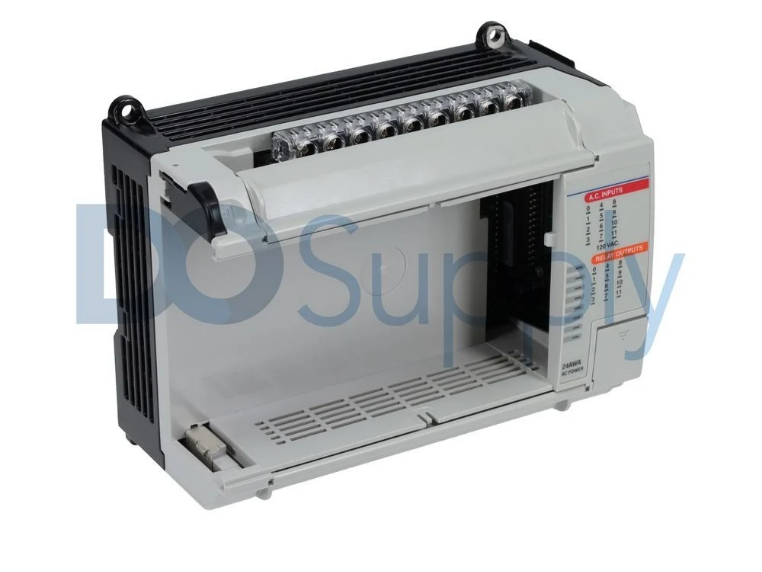
The MicroLogix 1000 doesn’t let you add any extra I/O since it’s fixed. If you want more flexibility, the MicroLogix 1100 supports up to four expansion modules, the 1200 supports up to six, and the 1400 supports up to seven. The MicroLogix 1500? That one’s the real workhorse, handling up to 16 modules if you throw in extra power supplies. If you’re an OEM building machines that might need to change or grow over time, pick a controller with enough room to expand so you don’t hit a wall later.
Communication Infrastructure
When you’re figuring out which ports you need, it really comes down to how you plan to connect everything. The MicroLogix 1000 needs extra modules to get on a network. The 1100 gives you an Ethernet port and a serial combo port, which covers most basics. The 1200 offers one or two serial ports, depending on which version you get. The 1400 bumps it up with two serial ports and built-in Ethernet. The 1500 LRP model features two serial ports and allows network access via Compact I/O.
Final Thoughts
The MicroLogix family gives you a range of performance options, so you can pick exactly what fits your job. The MicroLogix 1000 handles fixed I/O and basic networking, which is nothing fancy, just solid and reliable. Step up to the 1100, and you get Ethernet plus built-in visualization, which really helps with machine control. The 1200 lets you upgrade firmware in the field and supports more protocols, making it a bit more flexible. The 1400? That one’s great for high-speed counting and packs three communication ports. Finally, the 1500 is all about modular expansion, so it grows right along with your needs. The best part is that they all use the same instruction set and programming environment. So, if you’re an OEM, you don’t have to keep reinventing the wheel since your software works across all these platforms.
On top of all that, sourcing these PLCs is easy when ordering from us! We make ordering MicroLogix PLCs easy, no matter which type. We also carry expansion I/O modules, cables, and more! The best part is that they’re ready to ship quickly and backed by our two-year warranty to support your legacy system. So stop by our site today and discover why so many people trust DO Supply with their automation needs.
DO Supply Inc. makes no representations as to the completeness, validity, correctness, suitability, or accuracy of any information on this website and will not be liable for any delays, omissions, or errors in this information or any losses, injuries, or damages arising from its display or use. All the information on this website is provided on an "as-is" basis. It is the reader's responsibility to verify their own facts.